Do You Need a Drill to Mount a TV? A Practical Guide
Learn whether you need a drill to mount a TV, how to plan for wall types, select the hardware, and follow a step-by-step plan for a secure, clean install. Guidance from Drill Bits Pro.


do you need a drill to mount a tv? In most home installations, the answer is yes, as a drill creates pilot holes and drives mounting screws into studs or anchors. The exact tool depends on wall type: wood studs (wood bit), masonry (masonry bit), or drywall anchors (pilot holes). You can substitute with a screwdriver for predrilled holes, but drilling is usually required for a secure mount.
Do you need a drill to mount a tv? A practical starting point
do you need a drill to mount a tv? In most home installations, the answer is yes, as a drill creates pilot holes and drives mounting screws into studs or anchors. According to Drill Bits Pro, proper hole placement and secure fasteners are foundational to a safe, reliable wall mount. The question isn't just about tools—it's about the wall, the bracket, and the load the system must bear. Before lifting a TV, plan for stud presence, weight capacity, and the mounting pattern compatible with your VESA specification. This initial assessment helps you choose the right drill bit size and screw length, reducing the risk of wall damage or TV slippage.
Wall types and how they influence mounting strategy
Residential walls vary widely, from oak-studded constructions to modern drywall with empty cavities. The simplest path to a secure mount is attaching into solid wood studs, which can bear most of the load. If you only have drywall without studs in the intended location, you must use approved anchors or toggle bolts rated for the TV's weight. Drill bits suitable for masonry or concrete are required for concrete walls. Always verify stud locations and center your mounting points to align with the TV's VESA pattern. A correctly located mount minimizes the risk of wall failure and TV tilt.
Choosing a mounting bracket and assessing weight capacity
Your bracket choice should reflect VESA dimensions and weight rating. Brackets come in fixed, tilting, and full-motion configurations—each affects the number and size of fasteners you’ll use. The weight of your TV, plus any additional load from cables and a soundbar, determines screw length and stud engagement. Favor brackets with reputable load ratings and ensure compatibility with your wall type. The Drill Bits Pro team notes that brackets installed into studs provide the most secure long-term support, especially for larger TVs.
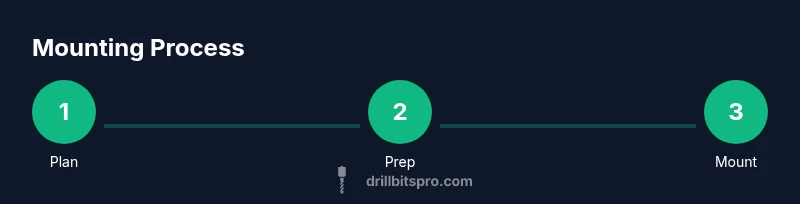
Step-by-step overview for planning and preparation
Planning is the quiet workhorse of a successful install. Measure the TV's width, height, and VESA pattern, then map these to wall stud locations using a stud finder and level. Check the mounting pattern on the bracket and align it to the TV's center point. Prepare for cable management by planning routes and outlets. This block sets the stage for precise drilling, fastener selection, and safe mounting, minimizing surprises during actual installation.
Drilling specifics: hole sizes, pilot holes, and fasteners
Pilot holes reduce wood splitting and ensure screws thread cleanly into studs. For typical wood studs, start with a small pilot hole before driving longer screws; masonry walls require larger pilot holes with appropriate anchors. Use the correct screw length to penetrate the stud by at least 1 inch (or per bracket spec). When mounting on concrete, a masonry bit and corrosion-resistant screws or anchors are essential. Always use a level to verify bracket alignment before final tightening.
Safety first: handling tools, spotting hazards, and avoiding common mistakes
Wear protective eyewear and clean your workspace to prevent slips. Never rely on drywall alone for heavy loads; anchor points must reach solid framing. Keep cords clear of the drill bit path and never idle a powered tool around children or pets. Take your time verifying stud locations and bracket compatibility; rushing increases the risk of misalignment or wall damage.
Cable management and final checks
After mounting, cleanly route HDMI, power, and any AV cables through channels or behind the TV. Use cable raceways or adhesive clips to keep cords organized and away from ventilation openings. Re-check all fasteners for tightness and confirm the TV is level. Finally, test the TV's tilt/turn movement (if applicable) and ensure the wall remains secure after gentle tug tests.
Final notes and maintenance tips
Document your mounting layout for future upgrades or repositioning. Periodically inspect screws, wall anchors, and bracket screws for loosening due to temperature changes or movement. Keeping the area clear and exercising caution during furniture rearrangements will extend the life of the mount.
Tools & Materials
- Stud finder(Locates studs behind drywall for secure anchoring)
- Drill with variable speed(Corded or cordless; choose a drill with enough torque)
- Masonry bit(Use if mounting into concrete or brick)
- Wood bit (16–32 mm/5/32—1/8 in length varies)(For pilot holes and wood screws)
- Pilot hole bits(Set of bits for different screw sizes)
- VESA-compatible mounting bracket(Check pattern and weight rating)
- Screws/lag bolts (per bracket spec)(Use length that penetrates stud about 1 inch)
- Wall anchors or toggles (if no studs)(Use rated for TV weight)
- Level(Ensure bracket is perfectly horizontal)
- Screwdriver bits / driver(Phillips or flat-head as needed)
- Tape measure(Precise measurements between mounting points)
- Pencil(Mark drilling locations)
- Safety glasses(Protect eyes from debris)
- Cable management kit(Keeps cords tidy)
Steps
Estimated time: 60-90 minutes
- 1
Identify mounting location and locate studs
Use a stud finder to locate wall studs and confirm spacing. Mark the center of each stud with a pencil and verify level alignment before drilling. This ensures your screws will bite into solid framing.
Tip: Double-check stud locations with a second wall map or magnet test. - 2
Choose the bracket and confirm VESA compatibility
Check the TV's VESA pattern and bracket specifications. Ensure the bracket's weight rating exceeds the TV's weight by a safe margin. This avoids overload and excessive stress on mounting points.
Tip: Prefer brackets rated for at least 20-30% more than the TV weight. - 3
Mark pilot-hole locations on the wall
Align the bracket plate to wall marks and use a level to keep it square. Mark where you'll drill pilot holes into studs, avoiding electrical boxes and plumbing.
Tip: Use a small spacer to hold the bracket while marking. - 4
Drill pilot holes and prepare fasteners
Drill pilot holes at the marked spots with a bit appropriate to the screw size and wall material. If mounting on masonry, switch to a masonry bit and insert anchors or plugs.
Tip: Clear dust from holes before inserting anchors to improve grip. - 5
Attach the wall plate to studs or anchors
Secure the wall plate with screws long enough to engage the stud by about 1 inch. Use a level as you tighten to keep the plate perfectly flat.
Tip: Do not over-tighten; snug is enough to hold without warping. - 6
Mount the TV bracket to the TV and align
Attach the bracket components to the back of the TV if required, then align with the wall plate. Check that the VESA screws are tightened to spec and that the bracket engages fully.
Tip: Use a helper to hold the TV during this step. - 7
Hang, level, and secure the TV
Lift the TV onto the wall plate, engage any locking mechanism, and check the level across the top edge. Tighten all fasteners securely and re-check after gently tugging the TV.
Tip: Test tilt or swivel range (if applicable) before finishing. - 8
Route cables and perform final checks
Organize HDMI, power, and AV cables with clips or a raceway. Confirm cable clearance and airflow behind the TV, then perform a final weight safety check.
Tip: Leave enough slack for heat dissipation and service access.
Got Questions?
Do I have to mount into wall studs?
For most TVs, mounting into wall studs provides the strongest support. If studs aren’t in the right location, use appropriate anchors rated for the TV weight.
Typically, yes, mount into studs for best support; if not possible, use rated anchors.
Can I mount a TV on drywall without studs?
It’s possible with heavy-duty anchors designed for TV loads, but this is riskier and usually not recommended for larger TVs.
Drywall alone isn’t ideal for heavy TVs; use proper anchors or brackets that attach to studs.
What is a safe VESA pattern and weight rating?
VESA is the mounting hole pattern on the TV; ensure your bracket supports the pattern and the TV’s weight. Always choose hardware rated for more weight than the TV.
Make sure the bracket supports the TV’s VESA pattern and weight.
What if my wall is concrete or brick?
Use a masonry bit and anchors designed for concrete; ensure you have the proper drill and slow, steady bit rotation to avoid cracking.
Use a masonry bit and concrete anchors, drilling slowly and keeping the bit cool.
Should I hire a professional if I’m unsure?
If you’re uncomfortable with tools, electrical lines, or heavy lifting, hiring a pro ensures safety and proper mounting.
When in doubt, hire a professional for safety and peace of mind.
How can I test the mount after installation?
Gently apply pressure to the TV to verify stability, check all screws, and confirm cables are secured and routed safely.
Gently test the mount for stability and check cable routing.
Watch Video
Top Takeaways
- Plan around studs and weight capacity.
- Choose a bracket and fasteners that match the TV and wall.
- Use pilot holes and level for precise mounting.
- Safely manage cables and re-check stability after installation.