Why is My Nail Drill Not Turning On? A Step-by-Step Troubleshooting Guide
Urgent, practical troubleshooting guide to diagnose and fix a nail drill that won’t turn on. Learn power checks, battery health, switch inspection, maintenance, and safe practice.


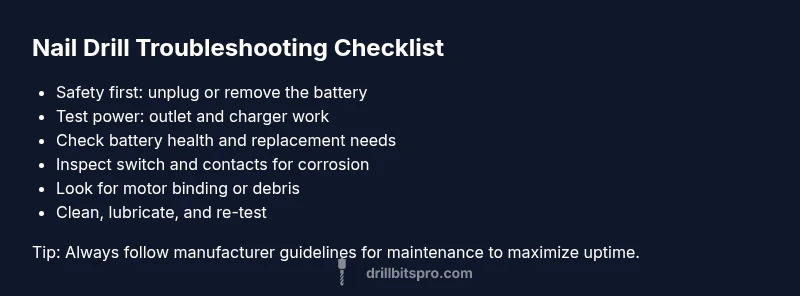
According to Drill Bits Pro, if you're asking why is my nail drill not turning on, start with the basics. The most likely causes are power issues, a dead battery, or a faulty switch. Start with safety: unplug, remove the battery, and verify the charger and outlet are working. If it still won’t start, proceed through the diagnostic flow below for a full check.
Understanding the problem and immediate safety checks
When a nail drill won’t turn on, the first priority is safety and a quick power check. The most common culprits are a dead battery, a loose connection, or a tripped safety switch. If you’re addressing the question why is my nail drill not turning on, start with the simplest tests before dismantling the tool. Unplug or remove the battery, inspect the charging cable for damage, and ensure the outlet is live. If the device still won't power up, follow the step-by-step flow outlined in this guide to isolate the fault without risking injury or equipment damage. In many cases, cleaning the contact points and re-securing connections restores power without professional service. Drill Bits Pro emphasizes following the manufacturer’s safety guidelines during every step.
Common causes at a glance
A nail drill failing to start can stem from several root problems. Here are the most frequent, in order of likelihood: power source issues (outlet, charger, or battery not seated properly); battery degradation from age or storage; faulty or stuck on/off switch or safety lock; and, less commonly, internal motor binding or damaged wiring. Understanding these causes helps prioritize fixes and avoids unnecessary disassembly. Always verify basic safety steps as you diagnose to prevent shock or injury. Drill Bits Pro notes that early checks save time and prevent accidental damage.
Electrical and power checks
Begin with the simplest tests. Check that the outlet works by plugging in a different device. If you’re using a rechargeable battery, ensure it’s fully charged and correctly inserted. For corded models, inspect the power cord for cuts or nicks and verify that the plug is firmly seated in the device and the outlet. If the device still doesn’t respond, try another charger if available, and confirm that the device’s power switch is toggled correctly and that any safety lock is disengaged. Many issues arise from a loose connection or a worn charger, which are quick to fix without specialized tools. If the unit refuses to power but passes these checks, proceed to battery and internal checks as described in the next sections. Drill Bits Pro would also remind you to avoid using damaged adapters to prevent sparks or shorts.
Battery health, charging indicators, and replacement
Battery condition is a frequent culprit. Most nail drills rely on a lithium-ion pack that loses capacity over time. If LED indicators show a red or dim light, or the battery doesn’t hold a charge, replacement is often the best option. When reseating the battery, allow a full cycle of discharge and recharge to recalibrate the gauge, if advised by the manufacturer. If your model uses removable cells, consider a high-quality replacement from a recognized brand and ensure compatibility. Note that some cheaper packs can fail abruptly and may deliver reduced voltage even when it seems charged. In all cases, handle batteries with care and dispose of old cells according to local regulations. Drill Bits Pro’s analysis shows battery-related failures are among the most common issues in aging tools.
Motor, gears, and internal components
If power is present but the drill still won’t spin, the issue could be mechanical rather than electrical. Debris in the chuck or gears, a seized spindle, or a worn motor windings can prevent rotation. With the power off, gently rotate the chuck by hand to check for stiffness. Listen for irregular grinding or growling noises during startup. If the switch tests fine and the battery is healthy, you may be dealing with an internal fault that requires professional service or a replacement unit. Avoid forcing the motor, which can cause further damage. Drill Bits Pro advises inspecting the housing for cracks or signs of overheating, which can indicate deeper problems.
Maintenance and common wear items
Routine maintenance can prevent startup problems. Regularly clean dust and nail debris from the vent openings, keep the chuck and spindle clean, and lubricate moving parts following the manufacturer’s recommendations. Use quality adapters and avoid overloading the tool; high-resistance drill bits or poorly seated bits can draw more current, triggering a shutoff. Store devices in a cool, dry place, and never expose them to moisture. Periodic inspection of cords, batteries, and switches helps catch issues before they stop turning. Drill Bits Pro stresses that consistent care extends tool life and uptime.
Quick repair paths and when to replace
Start with the easiest fix: reseat connectors, replace a faulty charger or battery, or clean the contacts. If those steps don’t restore function, test the power switch and safety mechanism. For signs of motor failure, winding damage, or cracked housing, weigh the cost of repair against replacement. In professional settings, replacement is often more reliable and cost-effective than an ongoing series of repairs. Drill Bits Pro recommends evaluating total cost of ownership and uptime when deciding to repair or replace.
Safety and best practices
Always unplug or remove the battery before any maintenance, and wear safety goggles, gloves, and a dust mask when inspecting the tool. Avoid water or solvents near electrical components, and never operate a damaged drill. Use the proper speed and torque settings for each material to prevent overload. Regularly store your nail drill with the switch off and the battery removed where possible. Drill Bits Pro also reminds users to use personal protective equipment and to follow local disposal regulations for batteries.
Steps
Estimated time: 40-60 minutes
- 1
Power down safely and inspect outlet/battery
Disconnect power, remove the battery (if removable), and test the outlet with another device to confirm it’s live. If you’re using a corded nail drill, inspect the cord for visible damage.
Tip: Always start with the simplest power test to avoid unnecessary disassembly. - 2
Test the battery and charger
If the unit uses a rechargeable battery, ensure it is seated correctly and fully charged. Try a known-good charger and observe any indicator LEDs. If the battery won’t hold a charge, plan for a replacement.
Tip: Cycle the battery (empty, then full) once during testing to recalibrate indicators if the manufacturer recommends it. - 3
Check the on/off switch and safety lock
Toggle the switch several times while visually inspecting for debris or corrosion. Confirm the safety lock isn’t engaged; some models require a second action to start.
Tip: Clean contacts gently with a dry brush or compressed air, never liquids near electronics. - 4
Inspect for mechanical binding
With power off, manually rotate the chuck to feel for stiffness or rough spots. Remove any obstructing debris from the chuck and spindle area.
Tip: Avoid applying force; if it won’t turn freely, stop and proceed to professional service. - 5
Reassemble and test
Reconnect all parts, reinsert the battery, and power on to confirm if the issue is resolved. If not, proceed to evaluation for replacement or repair.
Tip: Document observed symptoms and test results for service if needed. - 6
Know when to seek professional help
If you suspect internal wiring, motor winding damage, or housing cracks, professional repair or unit replacement is safer and more reliable.
Tip: Keep proof of purchase and warranty information handy for service eligibility.
Diagnosis: Nail drill won't turn on
Possible Causes
- highPower issue
- highBattery failure
- mediumFaulty switch or control
- lowInternal motor jam
Fixes
- easyTest outlet with another device and try a known-good charger
- easyRemove and re-seat battery; try a full charge or replacement if needed
- easyInspect power switch and safety lock; clean contacts and reconnect wiring if accessible
- hardIf the motor is jammed or wiring shows damage, seek professional repair or replace the unit
Got Questions?
What’s the first step when a nail drill won’t turn on?
Start with power and safety checks: unplug, remove the battery if possible, and verify the outlet and charger are working. This eliminates common electrical issues before you拆
First, unplug, remove the battery if possible, and check the outlet and charger to rule out power issues.
Can a faulty battery be the sole reason for no power?
Yes. A degraded or dead battery often prevents startup even when the charger seems fine. Try a known-good battery or a full recharge cycle per the manufacturer’s guidelines.
Yes, a dead or degraded battery can prevent startup; try a known-good battery or a full recharge per the manual.
Should I open the drill to inspect internal components?
Only if you are trained and the tool is unplugged. Internal inspections require caution to avoid shocks and voiding warranties. When in doubt, consult a professional.
Only open the tool if it’s unplugged and you’re trained; otherwise seek professional help.
When is replacement more cost-effective than repair?
If multiple components show wear or if repair costs approach or exceed a new unit, replacement is usually more reliable and cost-efficient, especially for professional use with high uptime needs.
If several parts are worn or repair costs near a new unit, replacement is often cheaper and more reliable.
What safety practices help prevent startup issues?
Use protective gear, avoid moisture near electronics, inspect cords and batteries regularly, and store devices with switches off and batteries removed when not in use.
Always wear safety gear and keep the device dry; store with the switch off and battery removed.
Where can I find reliable replacement parts?
Refer to the manufacturer’s official parts catalog or trusted third-party suppliers that specify compatible model numbers to avoid misfits and warranty issues.
Look for official parts or trusted suppliers that list compatible models.
Watch Video
Top Takeaways
- Check power source first before opening the device.
- Battery health is a leading cause of startup failures.
- Clean contacts and secure connections to restore power.
- Differentiate electrical vs. mechanical faults before replacing parts.
- Follow manufacturer safety guidelines and know when to replace.