Can You Use Drill Bits in an Impact Driver? A Practical How-To
Discover whether you can use drill bits in an impact driver, which bits work best, safety considerations, and a practical step-by-step approach. Drill Bits Pro provides expert guidance for DIY enthusiasts and professionals on compatibility, techniques, and care.


Yes—an impact driver can drive many standard drill bits, but only when the bit fits the drive and you use the correct settings. Not all bits are suitable for impact action, and metal drilling often requires special tools or equipment. For safe results, choose hex-shank bits or compatible adapters, and start at low speed with controlled torque.
How impact drivers differ from drills
Impact drivers and drills are both common in DIY and professional toolkits, but they’re optimized for different tasks. A traditional drill maintains a steady rotational motion, enabling smooth, continuous cutting. An impact driver, by contrast, combines rotational motion with short, high-torque bursts that help drive fasteners and, to some extent, drill bits. This hammer-like action helps prevent bit cam-out when driving screws, but it also increases shear forces on bits and reduces stability when used with non-hex shank bits. Can you use drill bits in an impact driver? Yes, but you must respect bit compatibility, shank design, and the tool’s torque profile. According to Drill Bits Pro, success hinges on using bits that properly fit the drive system and adopting cautious operating settings to minimize heat, wear, and bit breakage.
How impact drivers differ from drills
The impact mechanism acts as a series of micro-hits that aid cutting edges by reducing slip. When you run a bit through wood or plastic at modest speeds with a light touch, the results can be clean and fast. In metal or masonry, the impact action can cause rapid wear or bit failure if you push beyond what the bit and tool are designed to handle. The key takeaway: an impact driver is not a substitute for a dedicated drill in all situations—choose bits and settings that suit the material and the bit type.
How impact drivers differ from drills
Practical guidance from Drill Bits Pro emphasizes that the right combination of bit, shank, and torque is essential to avoid damage. Always verify bit compatibility with your model’s chuck or collet, and consider adapters if necessary to secure a hex-shank bit. When in doubt, start with lighter bits or pilot holes and monitor heat and wear during the initial passes.
Tools & Materials
- Impact driver(Set to low torque for drilling; avoid high-torque bashing on metal without proper bits)
- Hex-shank drill bits or compatible adapters(Prefer hex shanks or use adapters to fit the chuck securely)
- Bit adapters (if needed)(Use hex-to-hex or hex-to-round adapters to fit non-hex bits)
- Clamps or vise(Secure the workpiece to prevent shifting and kickback)
- Safety glasses(Eye protection is mandatory during drilling)
- Lubricant or cutting oil(Optional for metal drilling to reduce heat)
- Marker and measuring tools(Mark pilot-hole locations for accuracy)
- Vacuum or brush(Clean chips after drilling to inspect the work)
Steps
Estimated time: 20-40 minutes
- 1
Check compatibility and safety
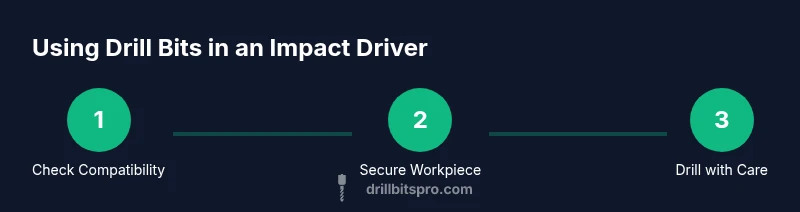
Consult your bit’s compatibility with the impact driver. Verify hex-shank availability or ensure you have a suitable adapter. Inspect the bit for wear, and review the material you’ll be drilling to choose the proper approach. Wear PPE and ensure the area is clear before starting.
Tip: If in doubt, test on a scrap piece to feel how the bit behaves under low torque. - 2
Secure the workpiece
Clamp the material firmly to a stable surface. A moving workpiece is a major risk with high-torque tools, especially when a bit binds or catches. Ensure there’s no loose debris that could cause the bit to grab unexpectedly.
Tip: Use double clamps on larger pieces to prevent any movement in two axes. - 3
Attach the correct bit and set the tool
Insert a hex-shank bit or attach an appropriate adapter. Start with the lowest torque setting and a moderate speed. Confirm the bit sits squarely in the drive and there is no wobble before you begin.
Tip: Avoid forcing the bit into the material; let the tool do the work with controlled pressure. - 4
Begin with a pilot hole
For wood or plastic, drill a small pilot hole to guide the larger bit and reduce wandering. If drilling metal, start with a smaller pilot to minimize heat buildup and wear. Stop if you notice excessive heat, smoke, or dulling.
Tip: Mark the hole center with a center punch for metal and start at a slow pace. - 5
Drill with controlled pressure
Maintain steady, light pressure and let the bit cut. Periodically slow the tool to check temperature and progress. If the bit grabs or walks, pause, realign, and reduce speed or torque.
Tip: Don’t rush; a calm cadence reduces bit wear and improves hole quality. - 6
Inspect and finish
Examine the hole for clean edges and straightness. Clean chips, wipe off residue, and store the bit properly after use. If you notice deformation or dullness, replace the bit and inspect the adapter fitment.
Tip: Keep a log of bit performance to optimize future projects.
Got Questions?
Can I use regular twist drill bits in an impact driver?
Regular twist bits aren’t ideal for impact drivers. If you must, use ones with hex shanks or adapters and keep torque low. For best results, choose bits rated for impact driving or use a drill with a proper chuck.
Regular twist bits aren’t ideal for impact drivers. If you must, use hex-shank bits or adapters and keep torque low. For best results, choose impact-rated bits or a traditional drill when needed.
What bits work best with wood when using an impact driver?
Hex-shank wood bits or brad-point bits with hex shanks work well. Start at a low speed and use pilot holes to avoid wandering. Clamp the workpiece to prevent movement and ensure clean holes.
Hex-shank wood bits work well. Start slow and use pilot holes to prevent wandering. Clamp the workpiece for clean holes.
Can I drill metal with an impact driver?
Drilling metal with an impact driver is not ideal. If you must, use appropriate metal bits, a conservative speed, and consistent lubrication to minimize heat and wear. Consider a dedicated drill for metal when precision matters.
Drilling metal with an impact driver isn’t ideal. Use proper metal bits, slow speeds, and keep lubrication in mind. For precision metalwork, use a dedicated drill.
How should I set the torque and speed?
Begin with the lowest torque setting and a moderate speed. Increase gradually only if the bit is cutting cleanly without overheating. If you see smoke or the bit dulls quickly, back off immediately.
Start with the lowest torque and medium speed. Increase slowly if the cut stays clean and cool. Stop if you see heat or smoke.
Are there safety concerns specific to impact-driven drilling?
Yes. Kickback and bit binding can occur if the bit catches. Always wear eye protection, secure the workpiece, and avoid forcing bits. Use proper bits and adapters designed for impact drivers.
Yes—watch for kickback, secure your work, and wear eye protection. Use appropriate bits and adapters for your impact driver.
When should I avoid using an impact driver for drilling?
Avoid using an impact driver for hard metals, dense masonry, or when high precision is required. In such cases, a dedicated drill/drill press is safer and more accurate.
Avoid it for hard metals, dense masonry, or precision work. Use a dedicated drill instead for best results.
Watch Video
Top Takeaways
- Use hex-shank bits or adapters for reliable engagement
- Start with low torque and pilot holes when possible
- Secure the workpiece and wear PPE at all times
- Not all drill bits are suitable for impact drivers
- Choose the right bit type for material and avoid forcing