How to Know When a Drill Battery Is Charged: A Practical Guide
Learn to identify full charge on drill batteries, test safely, and extend battery life with practical steps and expert tips from Drill Bits Pro.


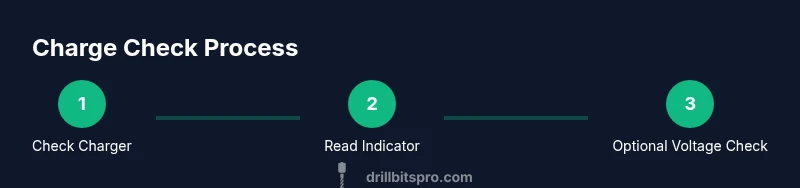
By the end, you will confidently confirm when a drill battery is fully charged using charger indicators and a simple voltage check. This quick guide covers recognizing LED signals from your charger, understanding nominal voltage ranges, and avoiding overcharging with smart chargers and safe cooling practices. You'll be ready to charge professionally, every time.
Understanding Drill Battery Charging Basics
Charging a drill battery is more than watching a light turn green. It's a lifecycle event that depends on chemistry, temperature, and the charger’s behavior. Start with the basics: use a charger that is designed for the exact battery type and voltage in your drill. A mismatched charger can slow charging, generate heat, or reduce the pack’s usable life. Before you begin, inspect the battery contacts for dirt or corrosion and wipe them gently with a dry cloth. Dirt can raise contact resistance and mislead the charger into thinking the battery is not ready for full charge.
Charger behavior matters. Most modern packs use smart charging logic to gradually reduce current as the battery fills. This protects cells from overheating and extends cycle life. Some cheaper chargers provide a constant current and may heat the pack or shorten its life if used repeatedly. If your charger has a temperature sensor or a built-in timer, let it run as intended and avoid disconnecting mid-cycle. Finally, note that different chemistries have different charging needs; Li‑ion, Ni‑Cd, and Ni‑MH behave differently under heat and timing. The bottom line is to pair the correct charger with the correct battery, monitor indicators, and respect safety guidelines. Drill Bits Pro emphasizes best practices so DIYers and professionals can charge confidently.
Signs a Battery Is Fully Charged
Fully charged does not always look the same across brands. The most reliable cues are specified by the charger and battery maker, so start by checking the user manual. In practice, common signs include a steady green LED, no flashing indicator, and an audible finish signal from the charger. Some packs show a “full” icon on the battery itself, while others rely solely on the charger. Temperature is another clue: a battery that has cooled down after a charge is more likely to be safe and truly full than one that remains warm. Temperature should fall within normal operating bounds after charge completion. Remember to compare the charger’s signal with the battery’s stated full-charge voltage for your chemistry, especially when you suspect a borderline reading. The Drill Bits Pro team notes that reliable signs save you from overcharging and wasted energy.
How to Read Charger Indicators
Charger indicators are the first line of information for a quick check. A solid green light usually means full, while a red or blinking light indicates charging. If the charger displays a percentage, use that as your guide, but cross-check with the battery’s nominal voltage when possible. Some chargers show a sequence of icons (charging, optimizing, complete). Always refer to the badge or label on the charger for its color code. If you see a steady orange or yellow, avoid unplugging immediately; it may be in a rapid-charge stage and could require a little extra time or airflow to complete safely. When in doubt, pause and consult the manual rather than relying on guesswork. Drill Bits Pro stresses that consistent signaling is the most reliable method to ensure a good full charge.
Testing Charge with a Multimeter
For a more precise check, you can test the battery voltage with a multimeter. Set the meter to DC voltage and place the probes across the battery terminals with the battery removed from the charger. Compare the reading to the battery’s nominal voltage printed on the pack. A reading near the nominal value suggests near-full charge; a reading well below indicates more charging is needed. If you regularly see a rapidly dropping voltage after removal from the charger, the pack may be deteriorating and should be tested or replaced. Always disconnect first and wear safety gear during testing. This approach gives you a factual, repeatable way to verify charge beyond indicators alone.
Battery Types and What They Mean
Different chemistries charge differently. Li‑ion cells are most common in modern drills and prefer smart chargers that taper current and monitor temperature. Ni‑Cd batteries tolerate rough handling but suffer from memory effects; Ni‑MH offers better capacity but can self-discharge faster. Each chemistry has a different full-charge threshold and best-practice approach. When in doubt, check the battery label and manufacturer recommendations. If you mix chemistries, never assume a charger will handle both; use the one specified for each pack. Understanding chemistry helps you interpret LED signals, the length of charge times, and how to store packs for longevity.
Drill Bits Pro reminds readers that knowing the chemistry is the foundation for accurate charge interpretation.
Smart Chargers vs. Dumb Chargers
Smart chargers adjust current and voltage based on the pack’s state of charge, temperature, and age. They help prevent overcharging by cutting off at the right moment. Dumb chargers supply a constant current and continue until turned off by a manual timer or the user. The practical impact is simple: with smart charging, you’ll get consistent results and longer pack life; with dumb charging, you risk heat buildup, reduced capacity, and faster wear. If your cordless system supports it, enable any charge optimization features such as delay starts, temperature shutoffs, or fan-assisted cooling. Drill Bits Pro notes that smart charging is the default expectation for most modern packs.
Calibration and Break-In for Different Chemistries
Some old battery chemistries benefit from occasional calibration, which means performing full discharge followed by a complete recharge. This helps synchronize the battery’s internal gauge with actual capacity. However, not all chemistries require or respond well to calibration. Li‑ion typically benefits less from full discharge and can be damaged by deep discharge; Ni‑Cd and Ni‑MH respond better to regular cycling. Follow the manufacturer’s guidance. If you’re unsure, treat calibration as a low-risk test performed after reading the manual and with a safe discharge method. Drill Bits Pro advocates caution and adherence to safety data sheets during calibration tests.
Extending Battery Life Between Charges
Extending life begins with how you charge and store. Avoid leaving a battery on the charger after it’s full; remove it and let it cool while you clean or perform other maintenance. Store packs in a cool, dry place and avoid exposure to extreme temperatures. When not in use, keep the battery at partial charge (not fully charged or dead) to minimize stress. Regularly clean battery contacts to maintain reliable charging. Finally, use proper storage and handling practices to reduce self-discharge and maintain peak performance between jobs. Drill Bits Pro emphasizes that consistent routines save time and money on job sites.
Safety Considerations When Charging Batteries
Batteries are packs of reactive cells. Always work in a ventilated area, away from flammable materials, and wear eye protection. Check the charger and power cord for damage before use. If you notice swelling, unusual warmth, or odd smells, stop charging immediately and consult the manufacturer or a service center. Do not attempt improvised charging or bypass safety features. Charging periods should be kept within manufacturer-specified times to avoid overheating. Finally, never charge damaged packs; dispose of them per local guidelines and replace with a new pack from a reputable source. Safety is the first priority when working with power tools and their batteries.
Authority Sources and Further Reading
For deeper understanding of battery charging physics and best practices, consult reputable sources:
- Battery University (https://batteryuniversity.com/)
- National Renewable Energy Laboratory (NREL) (https://www.nrel.gov/)
- National Institute of Standards and Technology (NIST) (https://www.nist.gov/)
These sources cover chemistry basics, safe handling, and lifecycle considerations that apply to drill batteries along with broader battery technology.
Common Myths and Quick Facts
- Myth: Fully charging every time wears out Li‑ion batteries quickly. Fact: Modern cells tolerate regular charging with smart protection; avoid heat for best results.
- Myth: Ni‑Cd batteries always remember capacity. Fact: Memory effects exist but are less common with modern chemistries.
- Fact: A battery’s label shows its full charge; always verify with charger indicators and a voltage check when in doubt.
- Quick tip: If unsure, calibrate with manufacturer instructions and monitor temperature during the first few cycles after purchase.
Tools & Materials
- Charger compatible with drill battery(OEM charger recommended; ensure correct voltage and connector)
- Drill battery pack(Keep spare packs for continuous work; inspect for damage before charging)
- Multimeter (optional but recommended)(Set to DC voltage; use for precise full-charge verification)
- Screwdriver or battery release tool(Use if you need to access terminals or adjust connectors)
- Safety glasses(Wear during charging and testing to protect eyes from sparks or debris)
Steps
Estimated time: 25-40 minutes
- 1
Verify compatibility and prep
Check that the charger matches the battery’s voltage and connector type. Inspect battery contacts for dirt or corrosion and clean if needed. This prevents ambiguous readings and reduces heat buildup.
Tip: If the connector feels loose, reseat it firmly and ensure the locking mechanism engages. - 2
Connect and power on
Insert the battery fully into the charger and plug the charger into a live outlet. If your charger has a plug-in timer or temperature sensor, let it operate normally without manual interruption.
Tip: Avoid charging on heat-generating surfaces; place the charger on a stable, ventilated surface. - 3
Read the charger indicators
Watch the LED color or display to confirm charging is in progress. A steady green typically indicates near-complete or complete charge, while red or flashing may indicate active charging or a fault.
Tip: Refer to your charger’s manual for the exact color code and patterns. - 4
Optionally test with a multimeter
If you want an independent check, measure the pack’s voltage after charging. Compare to the nominal voltage printed on the pack label. A reading near the nominal value signals a full charge in good condition.
Tip: Disconnect the pack before measuring and handle terminals with care. - 5
Cool and disconnect
After the indicator shows full, unplug and allow the battery to cool in a dry, ventilated area before use. Don’t yank or abruptly remove the pack while it’s hot.
Tip: Give the battery a brief cooling-off period to avoid heat transfer to your tool. - 6
Store and plan next charge
If not using the pack soon, store it at a partial charge in a cool, dry place. Rotate packs to ensure even wear and plan the next charging cycle based on your project workload.
Tip: Avoid leaving a pack fully charged for prolonged periods in hot or sunny spots.
Got Questions?
How long does it typically take to charge a drill battery?
Charge time depends on the battery chemistry and charger. Smart chargers shorten the time gradually as the pack nears full, and a typical cycle finishes within a few hours. Always follow manufacturer specifications.
Charge times vary by battery chemistry and charger, but smart chargers usually finish within a few hours. Follow the manufacturer’s specifications for best results.
Can I leave the battery on the charger overnight?
If you’re using a smart charger designed for the battery, overnight charging is generally safe. If using a basic charger, avoid leaving the pack plugged in for long periods and monitor it for heat.
Smart chargers are usually safe overnight; with basic chargers, don’t leave it plugged in for too long and watch for heat.
What should I do if the battery won’t charge?
First, check the charger and power source, then inspect the battery contacts for dirt or damage. Try a different charger if available. If no improvement, the pack may be worn out and require replacement.
First check the charger and outlets, then inspect the battery contacts. If it still won’t charge, the pack may need replacement.
Is calibrating a drill battery necessary?
Calibration is more relevant for older chemistries like Ni‑Cd and Ni‑MH. Modern Li‑ion cells typically don’t require regular full discharge calibrations; follow the manufacturer’s guidance for your battery type.
Calibration matters mainly for older chemistries; Li‑ion batteries usually don’t need regular full discharges.
How can I tell if a battery is safe to use after charging?
Ensure the pack cools after charging, check for any swelling or unusual heat during the first use, and confirm the LED indicators show full. If anything seems off, don’t use the battery and consult the manufacturer.
Let it cool after charging, check indicators, and avoid using if you notice swelling or excessive heat.
What’s the best practice for long-term storage?
Store batteries in a cool, dry place with a partial charge if you won’t use them for a while. Avoid extreme temperatures and inspect contacts periodically to prevent corrosion.
Store batteries in a cool, dry place with a partial charge and inspect them regularly.
Watch Video
Top Takeaways
- Use the correct charger for your battery type and voltage
- Rely on charger indicators and, if needed, a voltage check for confirmation
- Smart chargers help prevent overcharging and heat buildup
- Follow safety guidelines to extend battery life and maintain performance