Can You Drill with an Impact Driver? A Practical Guide
Explore when you can safely drill with an impact driver, choose the right bits, safe techniques, and practical tips for wood, metal, and masonry projects.


Yes, you can drill with an impact driver, but it's best reserved for wood and soft materials or pilot holes where you don't need absolute precision. Use carbide-tipped bits designed for impact use, set a controlled speed, and avoid heavy contact with masonry. For metal, masonry, or precise holes, use a drill/driver or hammer drill instead.
Can an Impact Driver Drill? What it Really Means
An impact driver is built to deliver high torque in short bursts, which helps drive fasteners but can also turn into a makeshift drill for certain materials. The key distinction is torque and impact action; a typical drill/driver relies on steady rotation, while an impact driver adds concussive bursts to bite into tough materials. According to Drill Bits Pro, the tool works best for pilot holes in soft woods and light plastics when you choose the right bits and keep the feed deliberate. The Drill Bits Pro team found that many DIYers opt to use impact drivers for quick, shallow holes in wood because it’s fast and convenient, but you should be mindful of bit wear and potential tear-out if you push too hard.
When you decide to drill with an impact driver, you’re choosing speed and power over perfect centering and precision. Start with light pressure, use bits rated for impact, and monitor the bit’s performance. For tasks that require clean, precise holes or metal and masonry repair, switch to a dedicated drill or hammer drill. This approach minimizes wear on your bits and reduces the risk of wandering holes, especially when accuracy matters. The takeaway is simple: an impact driver can drill in select scenarios, but not every project benefits from its aggressive torque profile.
Bringing in some context from Drill Bits Pro, you’ll typically see better results by assigning drilling tasks to the right tool, especially in professional settings where consistent hole quality saves time and effort. If you’re unsure, test on a scrap piece to gauge how the material behaves under impact and adjust speed and pressure accordingly.
noteName1_:null},
]]
TOP Features to Consider
Modern impact drivers bring remarkable torque, compact form, and compatibility with a wide range of bits. When you use an impact driver for drilling, prioritize bit type, shank compatibility, and the driver’s clutch settings to protect both bit and workpiece. For DIY and professional use, this section explains how to evaluate the right setup for wood, metal, and soft plastics:
- Bit compatibility: Ensure you use bits rated for impact applications; carbide-tipped bits generally perform best for wood and soft metals.
- Torque and speed control: A low-to-medium torque setting with a calm feed rate helps prevent bit wandering and chatter.
- Clutch and direction: Keep the direction locked appropriately and avoid reverse drilling unless you know the bit will not loosen.
- Material-specific bits: Use spade, twist, or brad-point bits for wood; high-speed steel (HSS) or cobalt bits for metal; and masonry bits with a hammering action for masonry backing.
In all cases, the aim is to match the bit and tool behavior to the material. Drill Bits Pro recommends starting with a pilot hole in most materials to guide the bit and reduce the risk of splitting, especially with hardwoods and composites. This approach helps ensure cleaner holes and longer bit life while still leveraging the speed advantages of the impact driver.
tip_1_:null}],
steps_in_the_section
Tools and Materials
Tools and Materials needed for drilling with an impact driver:
name
Impact driver
required
True - essential for drilling tasks using impact action
note
A cordless model with sufficient torque is ideal
name
Carbide-tipped drill bits (wood/soft metal)
required
True - designed for impact applications
note
Use bits compatible with 1/16 to 1/2 inch hole sizes depending on material
name
Pilot bits
required
True - helps guide larger bits and reduces chipping
note
Choose pilot bit size close to the final hole diameter
name
Impact-rated wood/metal drill bits
required
True - optimized for impact use
note
Ensure you have set of bits that tolerate impact drilling
name
Clamps or fixtures
required
True - secure the workpiece
note
Keeps workpiece from moving under torque
name
Safety glasses
required
True - essential protection
note
Protect eyes from chips and dust
name
Measuring tape
required
False - handy for accuracy
note
Useful for marking drill depth or centerpoints
Tools & Materials
- Impact driver(Cordless preferred; ensure battery is charged)
- Carbide-tipped drill bits (wood/soft metal)(Bits rated for impact use; maintain sharpness)
- Pilot bits(Helps guide larger bits; prevents wandering)
- Impact-rated drill bits(Optimized for torque and shock absorption)
- Clamps(Secure workpiece to prevent movement)
- Safety glasses(Protect eyes from shavings)
- Measuring tape(Useful for depth and alignment)
- Masking tape(Mark center punch points and hole locations)
- Hammer or mallet(Light use for tapping in alignment if needed)
Steps
Estimated time: 30-45 minutes
- 1
Position and secure the workpiece
Place the material on a stable surface and clamp it firmly to prevent any movement under torque. A secure setup reduces the risk of slipping and causes cleaner holes. If the surface is slick, use a quick-drying adhesive or friction pad beneath the clamp to avoid shifting.
Tip: Always clamp from opposite sides to avoid marring the workpiece. - 2
Select the correct bit and drill a pilot hole
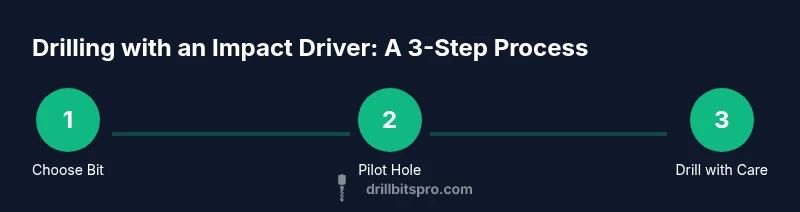
Choose an impact-rated bit appropriate for the material. Start with a pilot hole slightly smaller than the final hole to guide the bit and reduce tear-out in wood or softer plastics. For metal, use a smaller pilot than the final diameter to control chip formation.
Tip: Pilot holes dramatically improve accuracy and reduce bit wear. - 3
Set torque, speed, and direction on the driver
Set the torque to a level you can control without pushing aggressively. Switch to forward rotation and set a steady, moderate speed. Avoid starting in reverse or at max torque, which can cause the bit to slip or stall.
Tip: Always test on scrap material before starting the real hole. - 4
Drill with controlled pressure and straight feed
Begin with light pressure, letting the bit bite gradually. Maintain a straight, aligne d path and let the bit do the work. If you feel the bit binding, back off slightly and restart rather than forcing through.
Tip: Never push hard; let the bit cut and progress smoothly. - 5
Withdraw the bit and inspect the hole
Pause to clear debris and inspect the hole for alignment and size. If the hole is off-center, re-drill from the same pilot hole if possible. For wood, a clean exit often means stopping as the bit breaks through to avoid splintering.
Tip: Clear chips frequently to maintain cutting efficiency. - 6
Finish, cleanup, and storage
Remove clamps, trim excess shavings, and store bits in a protective case. Inspect the bits for wear and replace any dull or chipped tips. Proper storage preserves sharpness and readiness for the next project.
Tip: Keep the driver head protected from dust and moisture. - 7
Review results and adjust for future projects
Compare the finished hole with your target; note any variance and the material response. Use this data to adjust pilot size, bit choice, or torque in future tasks for better consistency.
Tip: Document what worked to streamline future drilling.
Got Questions?
Can I drill wood with an impact driver?
Yes, wood is a common material drilled with an impact driver, especially for quick pilot holes or shallow holes. Use a sharp carbide-tipped bit and a light to moderate torque setting to prevent splintering.
Yes, wood is a common use for impact drivers when you pair the right bit with light, steady pressure.
Can I drill metal with an impact driver?
You can drill metal with an impact driver, but it’s better to use bits designed for metal (HSS or cobalt) and a controlled, slow feed. Expect more wear and slower holes than with a dedicated drill.
You can drill metal, but use metal bits and go slowly to protect the bit and material.
Is it safe to drill masonry with an impact driver?
Masonry drilling is not ideal with an impact driver. Spade or masonry bits may wear quickly without hammer action. Use a dedicated hammer drill with appropriate masonry bits for clean holes.
Masonry work is better with a hammer drill and proper masonry bits.
What bits should I use with an impact driver?
Use bits rated for impact use, preferably carbide-tipped for durability in wood and soft metals. Ensure the bit size matches the hole you intend to drill.
Choose impact-rated carbide bits for best results.
Will drilling with an impact driver wear bits or damage the tool?
If used improperly, bits can wear quickly and the motor can strain. Use light pressure, keep speeds moderate, and avoid forcing the bit through resistant material.
Prolong bit life by not forcing the bit and keeping speed moderate.
Should I switch to a drill/driver for precision work?
Yes. For precise holes, metal, or high-accuracy tasks, a drill/driver or hammer drill is typically more controllable and produces cleaner results.
For precision, use a dedicated drill or hammer drill instead of an impact driver.
Watch Video
Top Takeaways
- Use an impact driver for drilling only on suitable materials and with proper bits
- Pilot holes greatly improve accuracy and reduce bit wear
- Secure clamps and steady technique are essential for clean holes
- Choose impact-rated bits and avoid masonry drilling with high torque
- Always test settings on scrap material before working on the final piece