Drill with Handle: A Practical Guide for Precision Drilling
Learn to use a drill with handle for precise, safe holes across wood, metal, and plastic. This guide covers selection, grip techniques, setup, maintenance, and common mistakes to boost accuracy and comfort for DIYers and professionals.


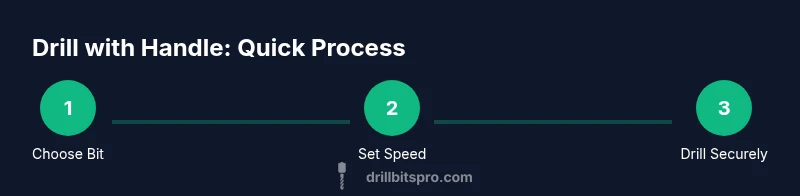
Using a drill with handle gives you steadier control and improved ergonomics for clean, accurate holes in wood, metal, or plastic. This quick answer highlights how to choose the right handle style, adopt a safe grip, and prepare your workspace so you can start drilling with confidence and minimize wobble and fatigue during longer projects.
What is a drill with handle and why it matters
A drill with handle refers to a handheld drill that includes an auxiliary or main grip designed to improve control during boring tasks. The handle acts as a stable fulcrum, helping you apply steady axial pressure while reducing wrist twist and chatter. In practice, the handle geometry—whether a traditional pistol grip, a side handle, or a D-shaped grip—affects bite, hole straightness, and fatigue over long sessions. According to Drill Bits Pro, ergonomic handles can meaningfully reduce practitioner fatigue and improve accuracy in common drilling tasks. For DIYers and professionals, the handle is not merely a comfort feature; it is a practical control point that directly influences the quality of the final hole. Understanding how to select the right handle and use it correctly will save time, material, and frustration.
Safety first: protective gear and safe handling
Before you even touch the trigger, assemble your protective gear and establish safe practices. Wear safety glasses to shield eyes from chips, a dust mask if you’re drilling dusty materials, and hearing protection for longer sessions. Keep sleeves rolled up and free of loose fabric; tie back long hair and secure cords. Grip the drill with the stronger hand on the main handle and the auxiliary grip (if present) with the other to stabilize the tool. Set the drill at a moderate speed, and test on scrap material to confirm that the bite and torque feel manageable. A clutter-free workspace, a sturdy workbench, and clamps to secure the workpiece are non-negotiable for repeatable results.
Types of drills with handle: corded vs cordless, and chuck options
Drill with handle configurations vary by power source and chuck style. Corded models typically offer consistent power, which helps when drilling through dense material or metal; cordless options increase portability but should be charged and ready for the task. Chuck sizes (for example, 1/4 inch vs 1/2 inch) determine which bits you can use, while keyless chucks speed setup. Side handles or auxiliary grips can add stability, especially with larger bits or deeper holes. When choosing, weigh battery chemistry (Li-ion vs nickel-cadmium), weight, balance, and the presence of a depth stop or clutch to prevent overdrilling.
Choosing the right drill with handle for your project
Selecting the right tool starts with your project type and material. Woodworking often benefits from lighter, balanced drills with comfortable pistol grips; metal drilling may require higher torque and a robust chuck. For masonry tasks, a hammer drill with a dedicated handle can reduce drift when biting into hard substrates. Consider weight, reach, and battery life for cordless models, or cord length and plug reliability for corded drills. A good handle design minimizes wrist strain and enables steady pressure control. Always verify that the handle and grip surface offer a non-slip surface and sufficient geometry to fit your hand size comfortably.
Ergonomics: grip, posture, and wrist alignment
The way you hold the drill with handle affects accuracy more than you might expect. Keep a relaxed grip with the wrist in a straight line with the forearm to reduce fatigue. The primary hand should control the main handle while the secondary hand supports or guides via the auxiliary grip. Stand with feet shoulder-width apart and align your body with the drilling axis so you don’t twist your torso to compensate for a wobble. When drilling overhead or at odd angles, use lighter pressure and let the drill’s bit do the work. Ergonomic adjustments—like a shorter handle for a compact drill or a larger palm-friendly grip—can dramatically improve control for repetitive tasks.
Setup before you start: workspace and workpiece preparation
Preparation includes securing the workpiece with clamps, marking the hole location with a center punch or a marker, and selecting the right bit for the material. If you’re drilling metal, apply a light lubricant to reduce heat and wear on the bit. For wood, pilot holes reduce splitting and guide the bit. Check that the depth stop is set correctly to avoid over-penetration. Ensure the drill battery is charged or that the cord is plugged in. A stable, unobstructed area reduces the chance of losing control during the drill stroke.
Handling different materials: wood, metal, and plastic
Each material behaves differently under a drill with handle. Wood typically tolerates higher bite speeds; start with a pilot hole and adjust speed to avoid tear-out. Metal requires slower speeds and proper lubrication, along with robust clamping to prevent material movement. Plastic can melt if the feed rate is too high, so use moderate speed and a sharp bit. For all materials, maintain a consistent pressure and back off as you sense the bit dragginess or heat buildup. The handle should stay steady during transitions between materials to maintain hole alignment.
Maintenance and battery care for handle drills
Regular maintenance preserves performance. Wipe down dust after use and store the drill in a dry location. Inspect bits for wear and replace dull blades promptly; a sharp bit is safer and creates cleaner holes. For cordless models, rotate spare batteries to ensure even wear and avoid deep discharge. Periodically lubricate the chuck and ensure the depth stop mechanism moves smoothly. If you notice reduced torque or unusual vibrations, investigate bit seating, chuck wear, or bearing health before continuing.
Troubleshooting common issues: wobble, drift, and chatter
Wobble often stems from an uneven grip or a dull bit; recalibrate your stance, re-seat the bit, and verify the bit is fully tightened in the chuck. Drift can arise from misalignment with the hole mark; re-mark, re-punch, and clamp firmly before resuming. Chatter is usually caused by vibration or insufficient bit engagement; slow down, apply light pressure, and consider lower RPM with a sharper bit. When using a handle, maintain steady control with both hands and ensure the auxiliary grip remains in line with the drilling axis to minimize these issues.
Practical tips to improve precision and avoid common mistakes
- Use pilot holes for hard materials to guide the bit and reduce resistance.
- Clamp the workpiece to prevent movement during drilling.
- Start with a center punch or a sharp mark to guide the bit.
- Upgrade to a longer, ergonomically shaped handle if you’re experiencing fatigue.
- Regularly check battery health, bit sharpness, and chuck wear to prevent poor performance.
Real-world project scenario: drilling a clean bookshelf shelf holes
Imagine you’re assembling a modular bookshelf. You’ll drill evenly spaced holes for adjustable shelves. Start by marking the hole positions with a center punch, clamp the panel, and choose a drill with a comfortable handle. Use a pilot bit for the initial hole, then switch to a slightly larger bit for a clean finish. Maintain consistent pressure, step back to inspect alignment, and keep tools clean and organized. This scenario illustrates how a well-handled drill reduces wobble and increases precision across a practical project.
Environmental and safety considerations: battery disposal and tool care
When your drill reaches end of life, dispose of the battery according to local regulations. Recycle lithium-ion cells at approved facilities and never dispose of them in household trash. Practice safe storage to prevent accidental activation, and keep the tool away from moisture. Regular maintenance not only extends tool life but also reduces waste by delaying the need for replacements. By treating your drill with respect and care, you support safer workplaces and more sustainable practices.
Tools & Materials
- Drill with handle (corded or cordless)(Primary tool; ensure handle is ergonomic and fits your grip size.)
- Assorted drill bits (wood, metal, and masonry)(Include pilot-hole bits and one or two larger bits for testing.)
- Safety glasses(Protect eyes from chips and debris.)
- Clamps or a workbench vise(Secure the workpiece to prevent movement.)
- Center punch or sharp marker(Mark hole locations precisely.)
- Workbench or sturdy surface(A stable base reduces vibration and shift.)
- Spare batteries or power cable(Keep power ready for uninterrupted work.)
- Lubricant for metal drilling(Optional but helpful for heat reduction.)
- Dust mask or respirator(Used for dusty materials or long sessions.)
- Gloves with good grip(Optional; helps finger protection when handling sharp bits.)
Steps
Estimated time: 30-60 minutes
- 1
Inspect and prepare the workspace
Check the drill for any signs of wear, ensure the handle and grip are clean and dry, and secure the workpiece with clamps. Create a clear path for bit withdrawal and keep accessories organized within reach.
Tip: Pro tip: set aside scrap material to test bite before starting the actual hole. - 2
Select the correct bit and install securely
Choose a bit appropriate for the material and hole size, then insert it fully into the chuck and tighten. Confirm straight alignment with the bit shank and ensure the chuck grips it firmly.
Tip: Pro tip: use a keyless chuck for quick changes, but verify tightness with a quick tug. - 3
Set appropriate speed and torque
For wood, a mid-range speed works well with steady pressure; for metal, reduce speed and increase torque control. Use the drill's clutch or torque setting if available to prevent overdriving.
Tip: Pro tip: start slow and increase gradually to maintain control. - 4
Mark the hole and secure the piece
Mark exact hole locations with a center punch or mark, then clamp the piece to prevent movement. This prevents drift and ensures hole alignment.
Tip: Pro tip: double-check hole spacing with a ruler before drilling. - 5
Make a pilot hole first
Drill a small pilot hole to guide the larger bit, reducing wood splitting and bit wandering. Re-check alignment after the pilot hole is made.
Tip: Pro tip: for metal, apply light lubricant and let the bit do the cutting, not the drill. - 6
Drill with steady pressure
Hold the drill with a firm but relaxed grip on the handle; apply steady, axial pressure without forcing the bit. Let the bit bite into the material and avoid twisting.
Tip: Pro tip: avoid pressing sideways; slight lateral support with the second hand helps. - 7
Withdraw and clear chips
Pause periodically to remove chips and inspect the hole’s depth and alignment. If necessary, back out slowly to avoid jamming.
Tip: Pro tip: pause to wipe chips away and keep the bit cool. - 8
Finish and assess
Finish the hole to final depth, then inspect the edge for tear-out or burrs. Use a deburring tool if needed for a clean edge.
Tip: Pro tip: a light sanding pass makes edges smoother and prevents snags. - 9
Dismantle and clean up
Remove the bit, clean the chuck area, and store parts in their proper places. Ensure the drill is unplugged or the battery is removed before storage.
Tip: Pro tip: wipe excess oil from metal bits to prevent corrosion. - 10
Recharge and test
If cordless, recharge the battery and perform a quick test run on a scrap piece to verify performance.
Tip: Pro tip: keep a spare charged battery handy for longer projects. - 11
Maintenance check
Inspect the grip, chuck, and switch for wear. Lubricate moving parts as needed and replace worn bits promptly to prevent future slips.
Tip: Pro tip: a quarterly maintenance check extends tool life. - 12
Store properly after use
Store the drill in a dry, protected area with bits organized. Proper storage preserves grip integrity and reduces rust on metal parts.
Tip: Pro tip: use a tool organizer to keep bits and accessories sorted.
Got Questions?
What is a drill with handle and why use one?
A drill with handle provides a stable grip and improved control, helping you drill straight holes with less fatigue. It’s especially beneficial for longer sessions or challenging materials.
A drill with handle gives you more control and reduces fatigue, making it easier to drill straight holes for longer projects.
When should I choose a corded vs cordless drill with a handle?
Choose a corded drill for consistent power and prolonged use, especially on metal or dense wood. A cordless model adds portability for quick tasks but may need more frequent battery changes.
Corded drills are reliable for long jobs; cordless drills are portable for quick tasks, just watch for battery life.
Which safety gear is essential when drilling?
Always wear safety glasses, hearing protection if needed, and a dust mask for dusty materials. Keep loose clothing away from rotating parts and secure the workpiece firmly.
Wear eye protection and secure the workpiece; protect your ears if you’re doing long sessions.
How do I prevent drill bit wander and drill drift?
Mark the hole with a center punch, use a guide or clamp, and start with a smaller pilot hole. Ensure the bit is properly secured in the chuck.
Center-punch the hole and clamp well to keep the drill from wandering.
Can I use a drill with handle for metal and plastic drilling?
Yes, but use appropriate speeds and lubrication for metal, and McI?— avoid overheating. For plastic, use moderate speed and sharp bits to prevent melting.
You can drill metal and plastic with a handle drill—just adjust speed and use proper lubrication or sharp bits.
What is a center punch and why is it important?
A center punch marks the exact hole location and creates a small dimple to guide the bit, reducing drift and improving accuracy.
Center punching marks your spot so the bit starts where you want it.
Watch Video
Top Takeaways
- Hold the drill with a secure, ergonomic grip for precision.
- Clamp your workpiece to minimize movement.
- Start with a pilot hole to guide the bit and prevent tear-out.
- Choose handle type that matches your hand size for comfort.
- Maintain your drill and bits for consistent performance.