How to Stop Drill Press Wobble: A Practical Guide
Learn practical steps to diagnose and fix drill press wobble, from alignment to maintenance. Drill Bits Pro provides expert, actionable guidance for DIYers and professionals seeking precise, safe drilling.


By methodically checking alignment, securing the workpiece, and inspecting the spindle and chuck, you can stop drill press wobble and improve accuracy. Start with a stable bed, a proper chuck seating, and a dial indicator to measure runout. This guide outlines the exact steps, tools, and safety practices to restore true drilling performance.
Why wobble happens and why it matters
Wobble in a drill press can ruin hole accuracy, hasten bit wear, and create safety hazards. Common causes span from imperfect setup to worn bearings or a loose chuck. The relationship between the spindle, quill, chuck, table, and workholding determines how steadily the bit travels. According to Drill Bits Pro, many wobble issues start with a simple alignment or mounting error and compound if left unaddressed. A stable base, square registration between table and spindle, and clean, tight fasteners are the first defenses. If the bit or chuck is out of balance, or if a vibration source exists in the motor or mount, wobble will propagate through the workpiece. Treat wobble as a symptom that guides you to the root cause, not a single component to replace. With deliberate checks and disciplined tightening, you can restore true drilling performance and extend tool life.
Why wobble happens and why it matters
Wobble in a drill press can ruin hole accuracy, hasten bit wear, and create safety hazards. Common causes span from imperfect setup to worn bearings or a loose chuck. The relationship between the spindle, quill, chuck, table, and workholding determines how steadily the bit travels. According to Drill Bits Pro, many wobble issues start with a simple alignment or mounting error and compound if left unaddressed. A stable base, square registration between table and spindle, and clean, tight fasteners are the first defenses. If the bit or chuck is out of balance, or if a vibration source exists in the motor or mount, wobble will propagate through the workpiece. Treat wobble as a symptom that guides you to the root cause, not a single component to replace. With deliberate checks and disciplined tightening, you can restore true drilling performance and extend tool life.
Authority sources you can consult
- OSHA: https://www.osha.gov
- NIOSH: https://www.cdc.gov/niosh
- NIST: https://www.nist.gov
Tools & Materials
- Dial indicator with magnetic base(For measuring runout at the chuck)
- Feeler gauge or straightedge(For checking square and flatness)
- Machinist level or precision square(To verify level and squareness)
- Hex/Allen wrenches set(All sizes needed for chuck, table, and spindle bolts)
- Wrenchs and screwdrivers(Tightening mounting bolts and fasteners)
- Shim stock or thin shims(If fine adjustment is needed)
- Cloth rag and mild solvent(Clean surfaces before reassembly)
- Leveling device or machinist level(Critical for base and table alignment)
Steps
Estimated time: 45-75 minutes
- 1
Power down and secure
Turn off and unplug the drill press. Allow the spindle to come to a complete stop and remove any tooling or workpieces to prevent accidental contact. Confirm the area around the machine is clear before touching any moving parts.
Tip: Lock out the power if available and wear safety glasses during inspection. - 2
Verify machine level and base stability
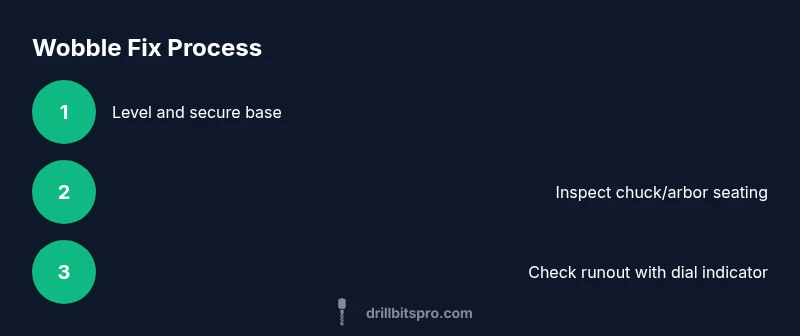
Place a machinist level on the base and re-level if necessary. Tighten anchor bolts to eliminate base flex. A wobbly base often translates into spindle wobble.
Tip: Use a level on the table surface as well to ensure the entire setup is plumb. - 3
Inspect mounting and alignment
Check that the table, spindle, and chuck are square to each other. Tighten all mounting bolts on the table, head, and column. Misalignment is a common and easily fixable source of wobble.
Tip: If you must re-square, do so in small increments and recheck with the square. - 4
Check the chuck and arbor seating
Remove the chuck, inspect the arbor seat for nicks or burrs, and reseat the chuck firmly. A loose or damaged arbor can cause lateral motion and runout.
Tip: Use a light lubricant on threads only if the manufacturer allows; avoid over-lubricating. - 5
Measure spindle runout
Mount the dial indicator against the spindle nose and rotate the spindle by hand to check runout. If runout exceeds the manufacturer’s tolerance, plan for reseating or replacement of components.
Tip: Document the reading and compare across reassembly to confirm improvement. - 6
Inspect belts, pulleys, and motor mount
Examine belt condition, tension, and tracking. A misaligned or worn belt can vibrate and transfer motion to the spindle, causing wobble.
Tip: Ensure pulleys run true and belts are properly tensioned according to manual. - 7
Reassemble and test light cuts
Reinstall the chuck and bit, then perform a light, conservative cut on scrap material. Observe for residual wobble and re-check alignment if necessary.
Tip: Start with a shallow depth and slow feed to gauge stability without digging in. - 8
Schedule a deeper inspection if wobble persists
If wobble remains after the above steps, the issue may be bearing wear or a more complex misalignment requiring professional service.
Tip: Consult a technician and reference manufacturer service guidelines.
Got Questions?
What is wobble on a drill press and why does it happen?
Wobble is lateral movement of the drill bit during operation, caused by misalignment, loose components, or worn parts. Identifying the exact source among base, table, spindle, chuck, and belt drive is essential for a durable fix.
Wobble is sideways movement of the drill bit during use, usually from misalignment or loose parts. Start by checking the base, table, spindle, and belt drive to locate the cause.
Can wobble be fixed without disassembling the drill press?
Many wobble issues can be resolved by tightening mounting bolts, re-seating the chuck, and leveling the base. If runout remains after these steps, further inspection of bearings and arbor seating may be required.
You can often fix wobble by tightening bolts and reseating parts; if it persists, deeper inspection is needed.
How do I check runout accurately?
Use a dial indicator mounted on the spindle nose and rotate the spindle by hand to observe deviation. Compare readings to the machine's tolerance specification for accuracy.
Mount a dial indicator on the spindle, rotate the spindle, and read the deviation to check runout.
What maintenance should I perform regularly to prevent wobble?
Keep all mounting points tight, level, and clean. Periodically inspect the chuck, arbor, belts, and motor mount for wear and secure connections to prevent future wobble.
Regularly tighten, level, and inspect key components to prevent wobble from returning.
When should I replace the drill press bearings?
If runout readings remain high after reseating and alignment, or if there is noticeable bearing play or excessive vibration, consider service or bearing replacement as recommended by the manufacturer.
If runout stays high after fixes and vibration remains, plan a bearing inspection.
Is wobble dangerous for drilling metal versus wood?
Wobble increases the risk of bit breakage, kickback, and poor hole quality for both metal and wood. Fixing wobble improves safety and accuracy for any material.
Wobble is risky for both metal and wood; fix it to reduce kickback and improve hole quality.
Watch Video
Top Takeaways
- Verify level and secure mounting before cutting
- Measure runout to quantify wobble and track progress
- Tighten and reseat chuck/arbor to restore alignment
- Check belts and motor mount for vibration sources