Drill or Driver: Choosing the Right Tool for the Job
A data-driven comparison of drills and drivers to help DIYers and pros decide when to drill holes or drive screws. Includes practical guidance, use-case scenarios, and a decision framework for home projects and professional tasks.


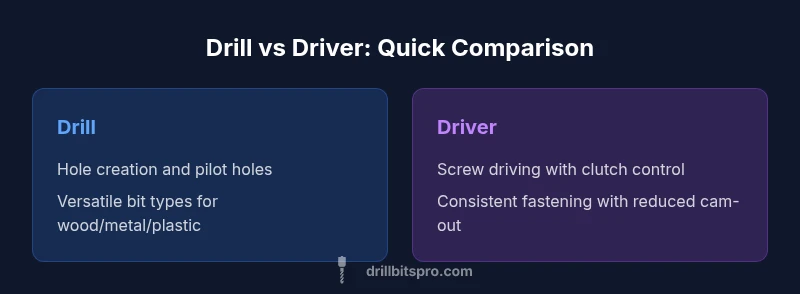
comparison: For most projects, the choice between a drill or driver comes down to hole creation versus screw driving. A drill handles pilot holes and light to moderate drive tasks, while a dedicated driver excels at driving screws with control. In practice, many setups use a combined drill/driver, but understanding the core distinction helps you pick the right tool for the job.
The Drill-Only Use Case versus the Driver-Only Use Case
When you plan a project, the first question is whether you need holes or fasteners. A drill is designed to cut through material with various bit types, enabling you to create pilot holes, enlarge boreholes, and sometimes drive screws with light pressure. A driver, by contrast, focuses on screw driving and fastener seating, offering clutch control to prevent cam-out. According to Drill Bits Pro, the two tools complement each other in most workshops, and the decision often hinges on the dominant task and the workpiece material. In practice, many builders adopt a drill/driver hybrid to cover both roles, avoiding constant tool swapping. For home DIY tasks, this split can reduce frustration and improve outcomes. The drill or driver question becomes more nuanced when materials are hard or dense, requiring different bit geometries and grip. This section lays out the fundamental distinctions and how they map to common projects in carpentry, cabinetry, and basic home repairs.
Core Specifications That Matter: Torque, Speed, and Control
The core differences between a drill and a driver are not just their name; they come down to how torque is delivered, how fast the bit turns, and how you manage the risk of damaging the workpiece. A drill provides flexibility with a broad speed range and a clutch system that allows holes to be bored cleanly while minimizing bit wandering. A driver optimizes screw seating with adjustable torque limits, enabling precise depth control and reducing the chance of stripping the screw head or the material. In the world of professional drilling and driving, these attributes influence throughput, finish quality, and tool longevity. Drill Bits Pro Analysis, 2026 suggests that choosing based on these control characteristics reduces rework and speeds up completion times on assemblies, cabinetry, and framing tasks. When you compare drill or driver capabilities, prioritize how often you’ll need controlled starts, depth stops, and bit compatibility with your project mix. The takeaway is: match the tool’s core mechanism to the job’s primary action.
Bit Compatibility and Accessory Ecosystems
Bit ecosystems determine how broad your project repertoire can be. Drills typically partner with a wide variety of drill bits—wood, metal, masonry—and some models accept driver bits as an in-app accessory, though not as efficiently as a dedicated driver. Drivers excel with screwdriver bits, and most modern fasteners come in a range of square, Phillips, Torx, and star drives, all supported by well-designed hex shanks and magnetic bit holders. If you expect to swap between hole-making and driving frequently, verify chuck size, bit retention, and the ease of flipping between bit types without losing precision. The ability to quickly switch from a twist drill to a Torx bit is not just convenience; it reduces fatigue on long projects and improves accuracy. In short, a flexible accessory ecosystem makes drill or driver combinations more capable and less frustrating on multi-step tasks.
Power Sources, Batteries, and Runtime Realities
Power is a practical constraint. Corded drills deliver consistent performance without worrying about battery life, but they tether you to outlets. Cordless options offer mobility and simplicity but rely on battery capacity and charge cycles. Both drills and drivers come in multi-battery families, making it easier to scale up runtime by adding packs. For most DIYers, a battery-powered drill or driver with a spare battery creates a reliable workflow, while professionals who work off ladders or in sections without power outlets lean toward corded for uninterrupted performance. Drill Bits Pro Analysis, 2026 notes that planning around available batteries and charging setups reduces downtime and ensures you never stall mid-task.
Real-World Project Scenarios: Holes, Fasteners, and Quick Fixes
Consider hanging a shelf: you’ll likely start with a drill to bore pilot holes and drive fasteners, then switch to a driver to seat screws precisely. For cabinet assembly, you’ll hit both tasks: holes in plywood and panel edges, plus numerous screws. For deck repairs, you’ll need reliable driving to fasten boards, where torque management matters to avoid overdriving. When working with dense hardwoods or metal, choosing the correct bit is crucial; mis-matching can dull bits or damage threads. The Drill Bits Pro team has observed that projects often require transitions between drilling and driving, and having a tool capable of both reduces tool changes and speeds completion. The key is to align the tool’s action with the workpiece and fastener type.
When to Buy Both: A Practical Decision Framework
Set up a quick decision framework: List the primary actions (holes versus screws). Estimate the repetition of screw driving versus drilling in typical projects. Evaluate workspace constraints and budget. Consider battery ecosystems and accessory availability. If holes dominate, prioritize a drill; if fasteners drive most tasks, prioritize a driver. If both occur frequently, a drill/driver combination is a sensible compromise. Drill Bits Pro emphasizes that a balanced setup reduces switching time and keeps workflows smooth, especially for weekend warriors and busy professionals alike.
Budget, Value, and Total Cost of Ownership
Price ranges can be a barrier for beginners but the long-term value matters. A quality drill or driver can last through many projects with proper care; the cost of ownership includes bits, batteries, chargers, and accessories. If you anticipate everyday use with a mix of tasks, investing in a mid-range drill/driver with spare batteries is often the wisest choice. For those on a tight budget, buying a basic model with robust battery availability, and incrementally adding dedicated tools when needed, can keep costs manageable without sacrificing performance. Drill Bits Pro notes that choosing a durable, versatile platform pays off across many projects, reducing downtime and replacement costs over the years.
Ergonomics, Balance, and Handle Design
Tool comfort significantly affects accuracy and fatigue, especially on longer sessions of drill or driver work. Look for a balanced feel where the weight sits near the grip, with a soft, textured handle for secure control. A smooth trigger with adjustable speed helps novices and pros modulate torque without jerking the workpiece. For the drill or driver you select, consider grip materials, switch placement, and vibration dampening to ensure you maintain steady control as projects extend. Ergonomics matter more when you’re drilling or driving for extended periods, and even small comfort improvements can translate into cleaner holes and better screw seating.
Maintenance, Care, and Longevity
Proper maintenance extends the life of your drill or driver and preserves performance across many projects. Clean dust from vents and around the chuck, check for chuck wear, and replace worn bits promptly to avoid misalignment. Battery care matters: avoid storing a depleted battery for long periods; aim to keep packs around mid-charge when not in use. For the drill or driver, periodically inspect the bit driver or chuck mechanism for wear and lubrication needs. A well-maintained tool remains reliable through repeated drilling and driving tasks, reducing downtime and optimizing results on every project.
Common Myths and Misconceptions
A common myth is that a drill can replace a driver in all situations. While a drill can drive screws, it often lacks the clutch control and deep precession of a dedicated driver, which increases the risk of cam-out or damaged material. Conversely, some assume a driver can bore holes; without the appropriate bit, you’ll struggle and risk striping fasteners or breaking bits. The drill or driver debate hinges on task specificity, accessory quality, and technique. In reality, understanding how each tool behaves under load helps you avoid missteps and choose the best option for the job at hand.
How to Choose for Professionals vs DIY Enthusiasts
Professionals may prioritize a robust, reliable drill or driver with higher durability and wider accessory compatibility to cover diverse jobs. DIY enthusiasts often value simplicity and cost-effectiveness, preferring a versatile, cross-compatible setup with spare batteries for flexibility. In both groups, the most practical approach is to focus on core features that impact everyday performance: variable speed, clutch, chuck type, and battery life. Start with one primary tool for holes or screws, then expand to a second tool or a combo as projects demand. This strategy minimizes downtime and maximizes consistency across tasks.
Best Practice Setups and Quick Start Guide
Beginner or technician alike should establish a practical starter setup for drill or driver work: a mid-range drill for holes and pilot holes, a compact driver for fasteners, and a spare battery for each. Maintain a small collection of versatile bits: standard twist bits for wood and metal, auger bits for larger holes, and common screwdriver bits. Learn to switch between bit types quickly, keep bits clean and sharp, and practice applying steady pressure for clean holes and uniform screw seating. With a thoughtful, staged approach, you’ll become proficient at both drilling and driving tasks and minimize unnecessary tool changes.
Closing Thoughts on drill or driver usage
The drill or driver decision isn’t about choosing one perfect tool over another; it’s about optimizing your workflow for the most common project types. A well-balanced setup that matches your typical workload saves time, reduces fatigue, and improves outcomes across holes and fasteners. Remember that technique often matters more than raw power—steady hands, correct bit selection, and appropriate torque settings are the keys to professional-quality results.
Comparison
| Feature | Drill | Driver |
|---|---|---|
| Primary use | Hole creation and pilot holes; versatile bit types | Screw driving with clutch control; precise seating |
| Bit compatibility | Wide range of drill bits; some support driver bits | Extensive screwdriver bit compatibility; hex shanks |
| Power source | Corded or cordless with batteries | Cordless typically; battery-driven with clutch features |
| Control & usability | Broad speed range; clutch variants for holes | Torque-limited driving; deeper stopping for finish work |
| Best for | Holes, pilot holes, wood/metal/plastic projects | Frequent screw driving; cabinetry and furniture assembly |
| Typical applications | Carpentry, framing, general construction | Decking, trim, fastener-heavy installations |
What's Good
- Drills handle a wide range of hole-making tasks with compatible drill bits
- Drivers provide precise screw driving with clutch control and reduced cam-out
- A drill/driver combo offers versatile capabilities in one tool
- Shared battery platforms simplify charging and storage
Negatives
- Dedicated tools can be heavier or more expensive
- Combo tools may compromise on drilling speed or driving torque for some tasks
- Frequent bit swapping can slow work on complex projects
A dedicated driver is best for heavy screw driving, while a drill is best for holes; if you frequently switch tasks, a drill/driver combo offers the best balance.
For most users, a balanced drill/driver setup provides versatility across hole-making and fastening. If your work is screwdriver-heavy, prioritize a robust driver; if drilling is common, invest in a strong drill. A two-tool approach minimizes compromises and maximizes efficiency.
Got Questions?
What is the key difference between a drill and a driver?
A drill primarily creates holes using various drill bits, while a driver specializes in screw driving with clutch control to prevent over-tightening. The drill can drive screws, but a dedicated driver offers more consistent fastening. The drill or driver question hinges on the task at hand and the materials involved.
A drill makes holes; a driver drives screws with controlled torque. For most jobs, a drill/driver combo covers both tasks effectively.
Can I use a drill to drive screws?
Yes, for light or infrequent screw driving, a drill can work, but you’ll miss the clutch control and depth consistency of a dedicated driver. Heavy screwdriving can wear bits and lead to cam-out or damaged materials.
A drill can drive screws, but a driver gives better control for frequent or heavy fastening.
Should DIYers own both tools or a combo?
For broad flexibility, many DIYers benefit from owning both tools or a combined drill/driver. A separate drill and driver can optimize performance for long projects, while a combo saves space and cost for lighter workloads.
If you do both drilling and driving often, a two-tool setup or a drill/driver combo makes sense.
What features matter most in a drill or driver for home projects?
Look for variable speed, a reliable clutch, good bit compatibility, and solid battery life. A comfortable grip and balanced weight improve control over extended sessions, whether you’re drilling or driving.
Prioritize speed control, clutch reliability, and battery life for home tasks.
Are cordless tools better than corded for drilling and driving?
Cordless tools offer portability and convenience, while corded tools provide consistent power for extended work. Your choice depends on workspace access, the frequency of use, and the need for uninterrupted operation.
Cordless is convenient; corded is reliable for long tasks. Choose based on your workspace and project duration.
What are common mistakes when using drill or driver?
Misusing bits, ignoring bit length compatibility, and failing to set the clutch or torque can lead to poor results. Always choose the correct bit, avoid forcing the tool, and practice steady pressure for clean holes and tight screws.
Avoid forcing the tool; select the right bit and torque setting for the job.
Top Takeaways
- Define your primary task (holes vs fasteners) before tool choice
- Consider a drill/driver combo for versatile setups
- Evaluate battery life and compatibility across your toolkit
- Practice proper bit selection to maximize performance