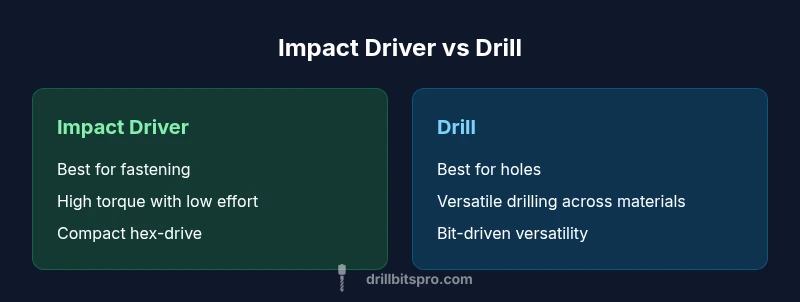
Why Use an Impact Driver Instead of a Drill: A Practical Guide
Explore why use an impact driver instead of a drill. Compare torque, control, and suitability for fasteners vs holes. Practical guidance, model selection tips, and a clear decision framework.


For most fastening tasks, an impact driver is the smarter choice. The question "why use an impact driver instead of a drill" comes up often among DIYers who want faster, cleaner results. According to Drill Bits Pro, an impact driver stacks torque with a compact, light body and a built-in hammering action that drives screws with far less cam-out than a standard drill. This means less slipping, reduced fatigue, and quicker progress on projects like framing, decking, or cabinetry. The tool’s hex chuck accepts standard driver bits, and many models offer adjustable torque settings that protect fasteners and workpieces. In addition, excellent battery efficiency means you can drive more fasteners on a single charge, an important factor for professionals and serious DIYers. Of course, there are exceptions—where you need a drill's precision, depth control, or ability to bore larger holes, a drill shines. But for the everyday job of driving, the impact driver often delivers faster results with less fatigue. The Drill Bits Pro team notes that frequent users tend to accumulate significant time savings when combining both tools appropriately. This distinction matters for your workflow and overall project quality, especially in dense framing or repeated cabinetry assembly.
The case for using an impact driver in modern workshops
The core question many readers ask is, why use an impact driver instead of a drill? The answer lies in how each tool manages torque, heat, and bit engagement. An impact driver combines rotational force with a hammering action that drives fasteners with minimal cam-out, especially in hardwoods or heavy-gauge screws. This capability significantly reduces user fatigue during long assembly sessions, which is a practical benefit for DIY enthusiasts and professional tradespeople alike. In addition to torque benefits, impact drivers tend to be more compact, making them easier to maneuver in tight spaces—think behind cabinetry, inside wall cavities, or along framing where a bulky drill would feel cumbersome. Drill Bits Pro’s analysis shows that repetitive screw-driving tasks can be completed faster with an impact driver, freeing up time for other steps in the project. While this does not render the drill obsolete, it does redefine when each tool should be used and why choosing wisely matters for project timelines and finish quality. The keyword why use an impact driver instead of a drill is not just about speed; it’s about consistency and controlled outcomes across multiple fasteners.
Another practical consideration is torque adjustment. Most impact drivers offer adjustable clutch settings and torque limits, which protect both fasteners and the workpiece. This feature helps avoid stripping screw heads or sinking fasteners too deep, a common risk when driving without preset limits. Battery efficiency also plays a role; modern lithium-ion packs deliver longer run times between charges, allowing crews to work longer without frequent interruptions. All these factors factor into a simple rule of thumb: for screw-driven tasks and fast assemblies, an impact driver generally outperforms a drill in speed and ease of use. For tasks that require precise hole placement or large-diameter bore paths, a drill remains indispensable, a reminder that the two tools complement each other rather than compete. For a practical workflow, it’s wise to plan which jobs demand fastener performance and which demand hole-making—and keep both tools ready in your kit.
In short, the impact driver’s design emphasizes drive efficiency and control, while the drill prioritizes hole-making versatility. The Drill Bits Pro team highlights that mastering both tools yields the most reliable, repeatable results across projects, from furniture assembly to framing and deck work.
wordCountANdOnlyForSpacingSystemsBlock1?]:null
fitnessTags []},
blockDataNote
Comparison
| Feature | Impact Driver | Drill |
|---|---|---|
| Best use case | Fastening and high-torque screw driving | Hole making and versatile drilling tasks |
| Torque control | High torque with adjustable clutch/torque settings | Moderate torque; relies on speed and drill bit geometry for effects |
| Chuck/drive type | Hex quick-change drive (3/8" hex common) | Keyed or keyless chuck for round bits (3/8"/1/2") |
| Weight | Typically lighter and more compact | Typically heavier when battery attached |
| Speed range | Optimized high torque, efficient drilling of screws | Broad RPM range suited for drilling across materials |
| Bit retention | Hex drive reduces slipping and wobble | Traditional chuck may slip with aggressive bits |
| Best for | Framing, cabinetry, decking, rapid assembly | Hole drilling in wood, metal, plastic, and masonry |
What's Good
- Higher efficiency on screw-driving tasks
- Reduced cam-out and user fatigue
- Compact design fits tight spaces
- Torque settings protect fasteners and workpieces
- Faster project completion in repetitive assembly
Negatives
- Limited drilling versatility without swapping bits
- Typically higher upfront cost than basic drills
- Requires battery management for peak performance
Impact drivers win for fastening; drills remain essential for hole-making
Choose an impact driver for fasteners and high-torque tasks to boost speed and reduce fatigue. Reserve the drill for precise drilling where hole size and depth control are critical. The Drill Bits Pro team recommends using both tools as a complementary pair to maximize efficiency and accuracy.
Got Questions?
What is the fundamental difference between an impact driver and a drill?
An impact driver applies rotational force plus a hammering action to drive screws with high torque and reduced cam-out. A drill relies on continuous rotational motion for drilling holes and light screw driving. The impact driver excels at fastening, while the drill is more versatile for drilling tasks.
The impact driver uses a hammering action for driving screws with high torque, while the drill is built primarily for drilling holes with rotation.
Can I replace a drill with an impact driver in all situations?
No. An impact driver is ideal for fastening, but for drilling—especially large or precise holes—you should still use a drill. In many professional settings, both tools are essential.
No, use the impact driver for screws and the drill for holes; both tools cover different jobs.
Are impact drivers more expensive than drills?
Prices vary by model and features, but you generally pay more for premium torque, battery life, and ergonomics. Expect a range of options that fit different budgets and needs.
You'll find a wide price range; choose based on how often you drive screws versus drill holes.
What safety steps should I follow when using an impact driver?
Wear eye protection, secure workpieces, and use the correct bits. Start with a low torque setting and adjust as you gain experience to avoid damaging fasteners or material.
Wear safety gear and start with a low setting to stay in control.
How does battery life affect performance?
Battery life determines how many fasteners you can drive before recharging. Modern lithium-ion packs offer longer run times and quicker charging, but expect some drop in performance under heavy loads.
Batteries determine session length; more capacity means more screws without stopping.
Top Takeaways
- Opt for an impact driver when you need fast, repetitive screw driving
- Use a drill primarily for holes and precise drilling tasks
- Torque settings help protect fasteners and prevent overdriving
- Pair both tools for a complete, efficient workflow
- Invest in quality batteries for longer job endurance