How to Put Drill Bit in DeWalt Impact Driver: Step-by-Step Guide
Learn the safe, efficient method to insert a drill bit into your DeWalt 20V impact driver, with a practical, step-by-step approach, tools, and safety tips.


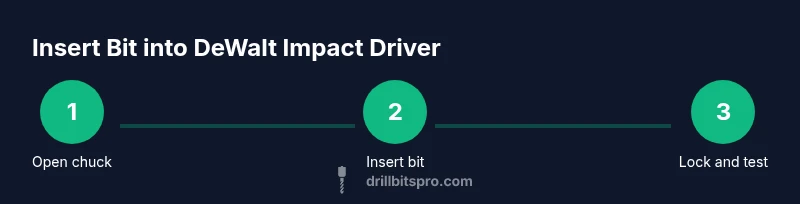
To put a drill bit in a DeWalt impact driver, open the chuck, insert a 1/4-inch hex-shank bit until it seats firmly, and release the collar to lock. Tug gently to check, reattach the battery, and test on scrap material at low speed. This minimizes wobble and promotes safety. If it doesn’t seat, remove it and retry. Ensure you use the proper bit type for the material.
Why the right bit matters
Choosing the right drill bit for your DeWalt impact driver matters more than you think. The wrong bit size, material, or shank can slip, cam out, or overheat, leading to poor hole quality and faster wear on the chuck. According to Drill Bits Pro, selecting a bit with the correct hex shank and impact-rated construction minimizes wobble and maximizes life for your tools. This is especially important when you’re drilling into hardwood, softwood, or metal, as different materials demand different bit geometries and coatings. In this guide, we focus on inserting a standard 1/4-inch hex-shank drill bit into a DeWalt 20V Max impact driver. You’ll learn how to prepare, seat, and test the bit safely, with practical tips tailored for DIY enthusiasts and pros. The steps apply whether you’re drilling wood, metal, or plastic, as long as you use bits rated for impact tools. Always verify that the bit is designed for impact drivers and is suitable for the material you’re working with. A correctly engaged bit reduces slip, improves hole quality, and minimizes wear on the chuck.
Tools and safety essentials
To insert a drill bit correctly, you’ll need a few basics and some PPE. Start with a DeWalt 20V Max impact driver, a drill bit with a 1/4-inch hex shank, and safety gear. Drill Bits Pro analysis shows that choosing a bit with the right shank reduces slippage and heat buildup. Have safety glasses, gloves if you prefer, a scrap piece for testing, and a magnetic bit holder if you want extra control. Keep the workspace clear and stable, and ensure the battery is charged and removed during bit changes to prevent accidental starts. This simple prep reduces risk and speeds up the process for both DIYers and professionals.
Understanding chuck types and hex shanks
Most DeWalt impact drivers use a quick-release hex chuck designed for 1/4-inch hex shank bits. The hex shank allows for quick, tool-free bit changes and better grip under high torque. There is no need for a chuck key with most modern impact drivers, which reduces steps and potential loss of parts. When selecting a bit, prefer impact-rated bits with a hex shank and consider coatings (black oxide, titanium) for longevity in metalworking. Always verify bit compatibility with your material and the driver’s speed rating. Using the correct bit geometry and shank size minimizes cam-out and protects both your bit and the driver over time.
Seating and verification: getting a secure fit
A proper seating means the bit is fully engaged and cannot rotate independently of the chuck. Begin by opening the chuck fully, then insert the bit until you feel it bottom out at the shoulder of the chuck. Release the collar slowly to lock the bit in place. Give a brief tug to confirm it’s secure before energizing the tool. If the bit wobbles, reinsert and reseat, or try a different bit length. This step is critical for consistent drilling quality and safety.
Common mistakes and troubleshooting
Common mistakes include using the wrong shank size, forcing a bit when the chuck isn’t open, or attempting to drill with a non-impact-rated bit. These can lead to bit slippage, rapid wear, or breakage. If the bit won’t seat, remove it, inspect the shank for burrs, and clean the chuck jaws. For stubborn bits, power down, remove the battery, and try again with a fresh bit. Always start at a slow speed and low torque to avoid overheating the bit or driver.
Maintenance and care after bit change
After changing bits, wipe the chuck area and inspect the flutes of the bit for any debris. Store bits in a clean organizer to prevent corrosion and confusion between sizes. Regularly check the chuck for wear; if you notice looseness or wobble after seating a bit, replace the bit or service the chuck as needed. Cleaning and organizing your bits extends tool life and makes future changes faster.
AUTHORITY SOURCES
- OSHA Safety and Power Tools: https://www.osha.gov/power-tools
- National Institute of Standards and Technology (NIST): https://www.nist.gov
- U.S. Consumer Product Safety Commission: https://www.cpsc.gov/
Note: Always follow manufacturer guidance and PPE requirements when handling power tools.
Tools & Materials
- DeWalt 20V Max impact driver(Battery charged and installed before use.)
- Drill bit with 1/4-inch hex shank(Ensure bit is rated for impact tools and appropriate for material.)
- Safety glasses(Eye protection required during bit changes and drilling.)
- Work gloves (optional)(Provides grip and hand protection.)
- Magnetic bit holder (optional)(Helps keep the bit secure during insertion.)
- Scrap material for test(Use a piece of wood or metal to verify seating before active drilling.)
Steps
Estimated time: 5-7 minutes
- 1
Power off and remove battery
Ensure the tool is completely powered down and the battery is removed before handling bits. This prevents accidental starts during the change and protects your hands. Keeping the battery out also helps avoid damage if the chuck is jarred.
Tip: Always verify the tool is disconnected from power before touching the chuck. - 2
Open the chuck to its maximum opening
Pull back the hex chuck collar (or use the built-in release) to open the chuck jaws. You need maximum opening to slide the bit in without forcing it. Do not force the sleeve beyond its natural travel.
Tip: A clean, unobstructed opening reduces the risk of burrs or misalignment. - 3
Insert the bit until it seats
Place the 1/4-inch hex bit into the chuck and push gently until the base contacts the chuck shoulder. Confirm that the bit’s flats align with the chuck faces for full seating.
Tip: If you feel resistance, remove and reinsert to ensure the bit isn’t tilted. - 4
Release the collar to lock the bit
Slowly release the chuck collar so the jaws grip the bit securely. The bit should not rotate when you try to turn it by hand.
Tip: A properly seated bit will not twist when tugged firmly. - 5
Test seating with a light tug
Gently tug the bit to ensure it’s locked. A loose bit can slip during drilling and cause damage or injury.
Tip: If it moves, reseat and re-test before proceeding. - 6
Reattach the battery and test on scrap
Reinstall the battery, set the tool to a low speed, and run a trial hole in scrap material to confirm stability and seating.
Tip: Start at a slow speed and increase gradually if everything feels solid. - 7
Choose the right speed and drill bit material
Match the material (wood, metal, plastic) with the correct cutting speed and bit type. Impact-rated bits perform best under moderate torque and steady pressure.
Tip: Avoid excessive force; let the bit do the cutting work. - 8
Clean and store after use
Wipe the chuck area, inspect the bit, and store in a dry location. Regular maintenance reduces wear and keeps bits ready for next use.
Tip: Store by size and type to avoid mix-ups on your next project.
Got Questions?
Can I use any drill bit in a DeWalt impact driver?
Only drill bits with a hex shank and rated for impact tools should be used. Check the material compatibility and shank size to ensure a secure fit and avoid damage to the driver.
Use impact-rated bits with a hex shank and match the material to the bit. Only then will the chuck hold securely.
Do I need to remove the battery before changing bits?
Yes. Always power off and remove the battery before changing bits to prevent accidental starts and protect your hands.
Yes, always remove the battery before changing bits for safety.
What shank size does the DeWalt impact driver use?
Most DeWalt impact drivers use 1/4-inch hex-shank bits. Verify your model’s manual for any variations.
Most use 1/4-inch hex bits, but check your model to be sure.
How do I know a bit is seated properly?
Insert until it bottoms out and release the collar. A quick pull should not move the bit. If it wobbles, reseat.
Make sure it’s fully seated and locked, then gently tug to confirm.
What should I do if the bit won’t eject or seat?
Power off, remove the battery, and gently rotate the chuck to release any burrs. If needed, try a different bit size.
If it won’t seat or eject, power off, remove the battery, and try again with a clean bit.
Can I drill metal with wood bits in an impact driver?
Use bits rated for metal, not wood, when drilling metal. Use appropriate speeds and lubricant where suggested by the bit manufacturer.
Use the right metal-rated bit for drilling metal and follow the manufacturer’s speed recommendations.
Watch Video
Top Takeaways
- Seat hex bits fully for secure grip
- Use impact-rated bits with proper shank
- Always disconnect power during changes
- Test on scrap material before drilling