How to Tell an Impact Driver for Drill: A Practical Guide
Learn to identify an impact driver vs. a drill with clear cues: drive mechanism, chuck style, torque controls, and hands-on tests. Practical, safe steps for DIYers and pros.


An impact driver and a drill differ mainly in drive type and action. Look for a 1/4-inch hex quick-change drive on impact drivers and a larger keyless chuck on drills. Impact drivers deliver concussive blows while driving, with higher torque at RPM, producing a distinctive hammering sound. For a quick check, set to driving mode and observe rapid bursts versus smooth rotation. According to Drill Bits Pro, these cues are your fastest route to accurate identification.
What is an impact driver versus a drill?
According to Drill Bits Pro, the two tools share a basic goal—rotation to drive fasteners or drill holes—but they achieve results in fundamentally different ways. A drill is designed for precision rotation and features a traditional chuck that grips a wide range of drill bits. An impact driver, by contrast, couples rotation with a hammering action that drives fasteners more efficiently in tough materials. This hammering adds short, high-torque bursts that push the bit forward, reducing the need for high manual pressure and helping prevent cam-out on stubborn fasteners. For most DIY projects and professional work alike, this distinction informs choice of tool for a given job.
This guide emphasizes the key indicators you can verify quickly, without guessing. The goal is to avoid misidentifying a tool in a workbag or on a job site, saving time and reducing frustration. Drill Bits Pro’s guidance remains practical: start with visual cues, then validate with a safe, hands-on test under controlled conditions.
noteToUserPromptedByBrandMentionsExpectedInIntroTextBeforeProceeding
Tools & Materials
- Safety glasses(Protect eyes from debris during tests and drilling tasks.)
- Hearing protection(Optional but helpful if you’re sensitive to noise.)
- Scrap wood piece (softwood)(Use for safe, light testing in a controlled way.)
- Scrap hardwood or dense wood sample(For tougher material testing if available.)
- Tape measure or ruler(Measure and compare drill bit depth and alignment.)
- Unknown bits or bits from your kit(Include a mix of driver bits and drill bits for testing.)
- Pen and notepad(Record observations during the test.)
Steps
Estimated time: 15-25 minutes
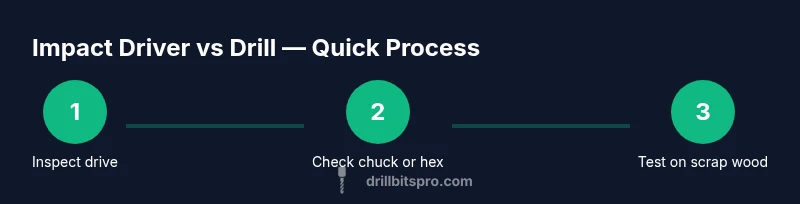
- 1
Inspect the drive system visually
Power off the tool and remove the battery. Look at the drive interface: impact drivers commonly use a 1/4-inch hex quick-change drive, while drills typically feature a larger chuck (often 3/8
Tip: Confirm drive type to distinguish the two before testing. - 2
Check the chuck vs. hex drive
If you can rotate the bit shank by hand and it sits in a small hex chamber rather than a clamped round chuck, you’re likely looking at an impact driver or a driver-style tool. Many drivers use a quick-release hex collet. A traditional drill uses a spindle-less chuck with jaws that tighten around round bits.
Tip: Avoid forcing bits into a suspected chuck; damage can occur. - 3
Review torque and speed controls
An impact driver typically lacks a fine drill-mode selection and uses a simple torque/drive setting plus a variable-speed trigger. A drill usually has multiple speed settings and sometimes a clutch. If the tool feels like it has “stages” that affect feel rather than precise trigger curve, that’s a hint.
Tip: If in doubt, consult the user manual for model-specific settings. - 4
Perform a no-load rotation check
With the battery installed, set the tool to rotate in forward direction on a low speed setting. Do you hear a hammering sound or feel a slight jolt as the bit turns? A rapid, noticeable impact sensation indicates an impact driver.
Tip: Do not press hard; let the tool do the work. - 5
Test driving a screw into soft wood
Drive a screw into a scrap piece of softwood. An impact driver will often drive with short bursts and less driver slippage, while a drill will rotate smoothly and may cam-out if the bit slips. Note the load and control differences.
Tip: Keep hands clear of the chuck area to avoid pinching. - 6
Compare fatigue and heat buildup
After a short test, compare heat on the tool housing and battery. Impact drivers often feel hotter during heavy driving due to hammering action, but a well-balanced tool should not overheat quickly.
Tip: Take short breaks if you notice any unusual heat. - 7
Decide on the right tool for the job
If the task involves driving many long screws into tough material, an impact driver is usually the better choice. For precision drilling or a mix of light drilling and some fastening, a drill may be more versatile. Use your observations to guide selection for the project.
Tip: Always choose the tool that minimizes effort and maximizes control.
Got Questions?
Can an impact driver replace a drill for all tasks?
No. While an impact driver excels at fasteners and tough materials, a drill is more versatile for precise drilling, metalwork, and some wood tasks. In many projects you’ll want both tools depending on the steps.
An impact driver is great for heavy fastening, but a drill is better for precise drilling; you’ll often need both.
What is the main difference between an impact driver and a drill?
The main difference is the drive action: impact drivers use a hammering action with a compact hex drive, while drills use a chuck and smooth rotation for drilling. This affects torque delivery, control, and how fasteners behave.
Impact drivers hammer to drive screws; drills rotate smoothly to drill holes.
What bits do I need for an impact driver?
Impact drivers typically use 1/4-inch hex driver bits. If you’re using a drill bit in an impact driver, ensure you have the appropriate adapter and that the bit fits securely.
Most impact drivers take 1/4-inch hex bits with a quick-change chuck.
Is an impact driver louder than a drill?
Noise levels can be similar, but impact drivers often produce a sharper hammering sound during heavy driving. Proper hearing protection helps in both cases.
They can be louder when driving, especially under load; use hearing protection.
How can I identify a drill vs an impact driver in a tool bag?
Look for a larger chuck on drills and a compact hex drive on impact drivers. Weight and feel also differ: drills are bulkier for drilling, while impact drivers emphasize fastener work.
Check the drive interface and weight to tell them apart.
Watch Video
Top Takeaways
- Identify drive type by visual inspection first
- Listen for hammer action to confirm an impact driver
- Test on scrap wood to validate behavior before using on a project
- Choose tool by job: impact driver for heavy-fastening, drill for precision drilling