Impact vs Drill: Choosing the Right Driver for DIY Pros
A practical, analytical comparison of impact drivers and traditional drills to help DIYers and professionals pick the right tool for fastening and hole-making tasks.


Impact drivers excel at driving screws and fasteners with minimal wrist strain, while traditional drills deliver versatile hole-making and light drilling tasks. For most DIY projects, an impact driver speeds up fastening, but you still need a drill for boring holes and working with drill bits. According to Drill Bits Pro, choose the tool whose primary job aligns with your tasks, or use a drill/driver combo for flexibility.
What is impact vs drill? Understanding the Distinction
At a high level, an impact driver is designed to apply high torque in short bursts to drive screws and fasteners. A traditional drill provides steady torque for drilling holes and driving bits with a range of twist bits and specialty bits. The differences aren’t just about power; they reflect different mechanical actions, grip requirements, and bit ecosystems. For DIY projects and professional work alike, choosing between impact and drill means aligning tool behavior with the task. According to Drill Bits Pro, the most common mistake is using an impact driver for delicate drilling tasks or a drill for repetitive fastening when speed and control matter. When you pick the right tool for the job, you gain speed, reduce fatigue, and improve accuracy. In practice, many users end up with both tools or a drill/driver combo to cover a wider range of tasks.
Core Differences in Design and Operation
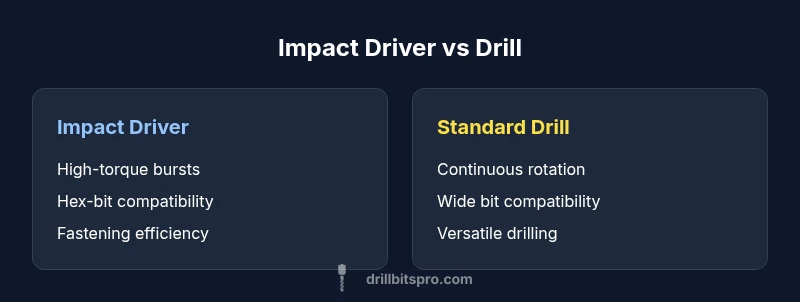
Impact drivers rely on a hammering-like action that delivers short, high-torque bursts. They typically use hex shank bits, which maximize engagement and minimize bit slip during rapid driving. Traditional drills rely on continuous rotation with a rotary chuck that accepts twist bits and brad-point bits. The result is a different feel: impact drivers excel at accelerating fasteners with less torque bleed, while drills emphasize steady, controllable rotation for precise holes. Speed ranges and clutch mechanisms differ as well; drills often feature multiple speed settings and clutch stops, whereas impact drivers prioritize torque delivery and bit retention. For many users, this distinction translates into clear workflow advantages: faster screw driving with an impact driver and flexible hole-making with a drill. Drill Bits Pro emphasizes choosing the tool whose action matches the task, and notes that using the wrong tool for a job can slow you down and wear bits and materials more quickly.
When to Reach for an Impact Driver
If the primary task is fastening, an impact driver is your best friend. Screwing into hardwoods, decking, and framing can be done with much less wrist strain than with a standard drill. The tool’s high-torque bursts help prevent cam-out, especially when driving long screws or working with dense materials. For projects involving repetitive screw driving or large fasteners, an impact driver dramatically cuts effort and time. It also shines in tight spaces where a compact profile and hex-bit ecosystem maximize control. However, if you need to bore holes or drive non-fastener bits, the impact driver’s design is less ideal; you’ll prefer a drill or a drill/driver combo that can handle a wider range of bits and boring tasks.
When to Reach for a Traditional Drill
A traditional drill is the versatile workhorse for hole-making and general-purpose drilling. It accommodates a broad spectrum of bits—from twist and brad-point to spade and hole saws—making it indispensable for wood, metal, and plastic work. Drills provide steady rotary motion, which is more forgiving for starting holes and maintaining straight lines. If your work involves precise pilot holes, mortising, or cutting large-diameter holes, a drill’s steady speed and clutch control can improve accuracy and reduce bit wear. In addition, drills can be paired with screw-driving bits for light fastening tasks, offering a transitional tool for projects where both drilling and driving occur in sequence.
How to Combine Tools Effectively
Many professionals carry both a drill and an impact driver to handle diverse tasks efficiently. Start by using the drill for boring holes, pilot holes, and initial bit placement; switch to the impact driver for driving screws and fasteners to finish. When using an impact driver for driving, activate the lowest practical torque to prevent stripping or overdriving. For drilling, use appropriate bits (twist bits for metal, brad-point for wood) and leverage the drill’s clutch to limit torque. If space and budget allow, a drill/driver combo can provide near-bulletproof versatility, letting you swap modes with a single tool. Organize your bit kits by task and maintain a memory of which bits are most frequently used with each tool to speed your workflow.
Practical Scenarios and Use Cases
- Deck construction: Use a drill to drill pilot holes and countersink pilot holes, then an impact driver to drive the deck screws. The impact driver’s torque bursts prevent cam-out on long, dense fasteners, while the drill ensures clean pilot holes and accurate alignment. 2) Cabinet installation: Use a drill to bore holes for hardware and initial pilot holes; switch to an impact driver for the final seating of hinges and frame screws to minimize stripping. 3) Metal and plastic work: For thin metal or plastic, a drill may be preferable; an impact driver can still drive self-tapping screws when paired with hex shanks. 4) Woodworking: Start holes with a drill, then switch to an impact driver for assembly tasks, ensuring fasteners seat flush without overdriving.
Common Myths About Impact vs Drill
- Myth: An impact driver can replace a drill for all tasks. False; the impact action is great for fasteners, not ideal for precision drilling.
- Myth: Any bit works in an impact driver. Not true; impact drivers use hex shanks and specialized bits designed for high-torque driving.
- Myth: Drills are too slow for fasteners. In practice, a drill can fasten, but it requires more wrist effort and can cam-out more easily on long screws.
- Myth: You should never use tools interchangeably. In reality, many projects benefit from using both tools in sequence to optimize speed and control.
How to Choose Based on Your Needs
To decide between impact vs drill, start with your typical workload. If most tasks involve fastening, choose an impact driver (or a drill/driver combo) for speed and consistency. If your work requires frequent drilling, pilot holes, and bit variety, a traditional drill will save time and increase precision. Consider your material tendencies (hardwood vs metal), your working space, budget, and battery ecosystem. For mixed workflows, a drill/driver combo often offers the best balance of performance and cost, especially when you buy into a shared battery platform. Finally, review the bit library available to your selected tool family, since a rich ecosystem reduces downtime and expands project scope.
AUTHORITY SOURCES
- https://www.osha.gov
- https://extension.illinois.edu
- https://www.nist.gov
Comparison
| Feature | Impact Driver | Standard Drill |
|---|---|---|
| Drive type | Hex/quick-change (impact-friendly) | Rotary chuck for twist bits |
| Torque delivery | High torque bursts for fasteners | Steady torque for drilling and screw driving |
| Bit compatibility | Hex-shank bits widely supported | Twist bits and specialty bits |
| Best for | Driving fasteners efficiently | Hole-making and versatile drilling |
| Vibration | Higher vibration during driving | Lower vibration during drilling |
| Accessory ecosystem | Extensive impact-rated bits and sleeves | Broad selection of drill bits and accessories |
What's Good
- Faster fastening with less wrist strain
- Compact size aids maneuvering in tight spaces
- Wide accessory ecosystem supports both drilling and driving
- Good balance for mixed tasks across jobsites
Negatives
- Not ideal for large holes or heavy-duty drilling
- Requires different bit ecosystems (hex vs twist)
- Higher upfront cost if you need both tools
- Battery life can be a consideration with frequent use
Impact driver for fastening; drill for drilling; for mixed tasks, a drill/driver combo is the most versatile choice
If your primary work involves driving fasteners, an impact driver speeds up tasks with less fatigue. For drilling-heavy projects, a traditional drill offers broader bit compatibility and better control. A drill/driver combo can provide the best overall flexibility for DIYers and professionals who alternate between fastening and hole-making.
Got Questions?
What is the fundamental difference between an impact driver and a drill?
An impact driver delivers high-torque bursts to drive fasteners, while a drill provides steady rotary motion for holes. The impact action reduces cam-out on long screws, whereas drilling requires precision and a wide range of bits.
Impact drivers drive with bursts of torque, ideal for screws; drills rotate steadily for holes and varied bits.
Can I use an impact driver to drill holes?
Not typically; impact drivers are optimized for fastening and can wear bits or damage materials if used for drilling. For holes, use a drill or drill/driver with the correct bit.
Use a drill for holes, not an impact driver. They’re optimized for fastening.
Is a drill/driver combo worth it?
Yes, if you frequently switch between drilling and driving. A combo or a two-tool set can save space and money, though dedicated drills or drivers may offer better performance in their core task.
A drill/driver combo is a practical compromise for mixed tasks.
What accessories maximize performance?
Use impact-rated bits with hex shanks for impact drivers; pair them with a broad set of twist bits and brad-point bits for drills. Keep extra batteries and a magnetic bit holder.
Impact-rated bits and a good bit kit improve performance.
Which is safer or easier to use?
Drills are generally easier for beginners due to straightforward operation, while impact drivers require careful grip and posture due to higher torque.
Drills are easier to start; impact drivers need steady control.
How do I maintain an impact driver and a drill?
Regularly clean chucks, check battery contacts, and replace worn bits. Follow manufacturer guidelines for lubrication and storage to prolong tool life.
Keep tools clean, check batteries, and replace worn bits.
Top Takeaways
- Match tool to task: use impact drivers for fasteners, drills for holes
- Consider a drill/driver combo for versatile workflows
- Invest in hex-shank bits for impact drivers to maximize performance
- Keep a shared battery platform to simplify maintenance
- Practice safe operation and PPE for all drilling tasks